Join us at FabCon Atlanta from March 16 - 20, 2026, for the ultimate Fabric, Power BI, AI and SQL community-led event. Save $200 with code FABCOMM.
Register now!The Power BI Data Visualization World Championships is back! Get ahead of the game and start preparing now! Learn more
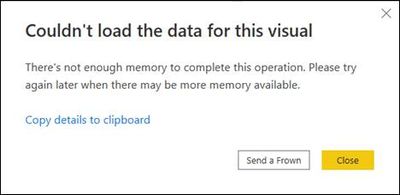
We are facing the below error on the Power BI premium workspace while loading a Python-based Power BI visual. The visual is working fine in Desktop for 10+ years but runs into memory issues on Service.
Is there a way to track how much memory is being consumed on Service?
Solved! Go to Solution.
Hi @Anonymous ,
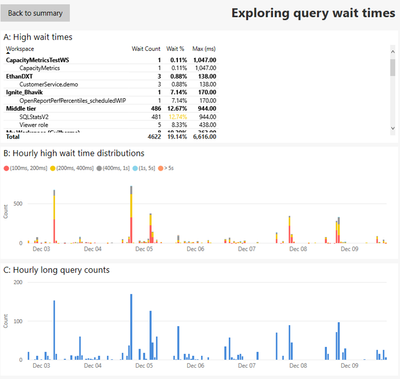
With Premium capacity workspace, you can use Power BI Premium Metrics app to monitor memory.
For more details, you can refer these official articles.
Power BI Premium Metrics app - Power BI | Microsoft Docs
Or you can try to optimize the python code to reduce costing memory.
Best Regards
Community Support Team _ chenwu zhu
If this post helps, then please consider Accept it as the solution to help the other members find it more quickly.
Hi @Anonymous ,
With Premium capacity workspace, you can use Power BI Premium Metrics app to monitor memory.
For more details, you can refer these official articles.
Power BI Premium Metrics app - Power BI | Microsoft Docs
Or you can try to optimize the python code to reduce costing memory.
Best Regards
Community Support Team _ chenwu zhu
If this post helps, then please consider Accept it as the solution to help the other members find it more quickly.
The Power BI Data Visualization World Championships is back! Get ahead of the game and start preparing now!