
Join us at FabCon Atlanta from March 16 - 20, 2026, for the ultimate Fabric, Power BI, AI and SQL community-led event. Save $200 with code FABCOMM.
Register now!The Power BI Data Visualization World Championships is back! Get ahead of the game and start preparing now! Learn more
Had to remove a data connection in the gateway setup page as the data source had been changed. Now, when I added the new data source, I can't update the gateway connection settings anymore.
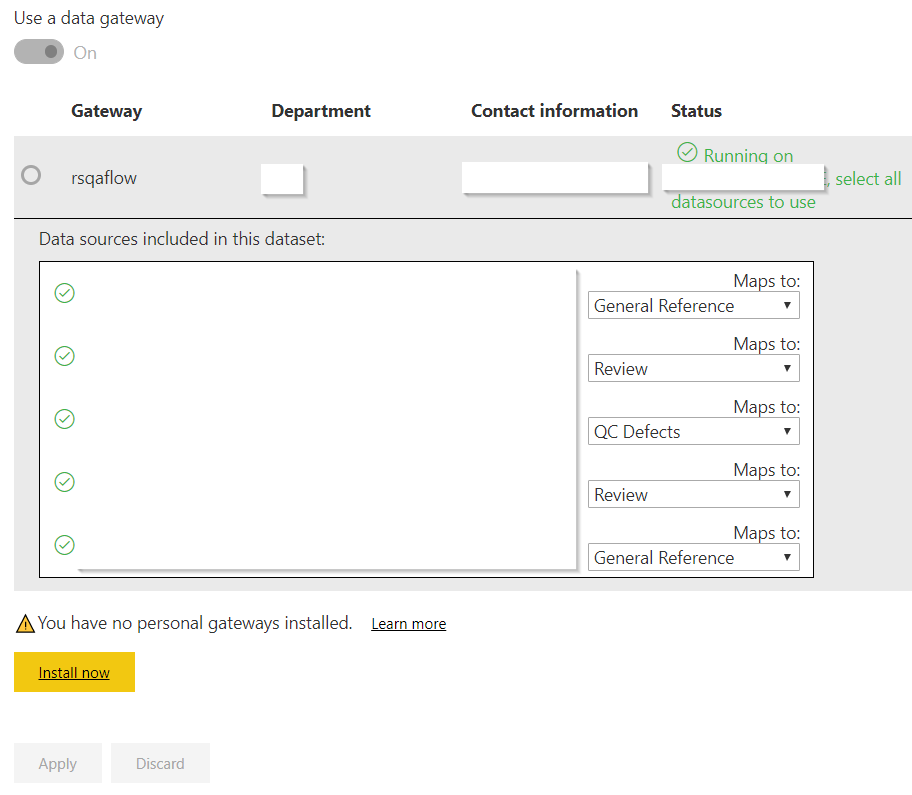
This is how the gateway connection page for one of my dataset looks like. All of my other reports use the same gateway and upon testing, all connections are working fine. But when I select the new source for the third item, I can't save the changes because the Apply button is disabled even after toggling Use a data gateway.
Hi @olimilo,
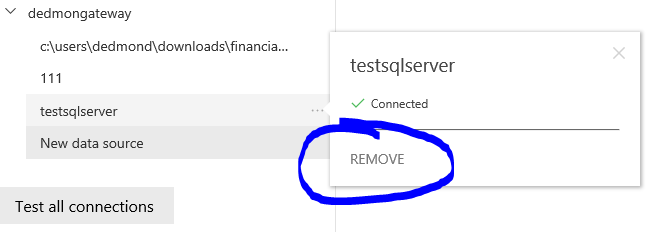
How did you add the new data source? And Have you remove the outdated data source in the gateway settings?
Based on my test, apply will not become clickable until you change the data source box of the map:
Best Regards,
Dedmon Dai
Hi Dedmon,
I removed the outdated data source prior to adding the new one (they're completely different data sources). I installed an on-premises personal gateway (I already had an existing gateway) and I was able to update the settings on my existing gateway for some reason.
Check out the November 2025 Power BI update to learn about new features.
Advance your Data & AI career with 50 days of live learning, contests, hands-on challenges, study groups & certifications and more!