Join us at FabCon Atlanta from March 16 - 20, 2026, for the ultimate Fabric, Power BI, AI and SQL community-led event. Save $200 with code FABCOMM.
Register now!Get Fabric Certified for FREE during Fabric Data Days. Don't miss your chance! Request now
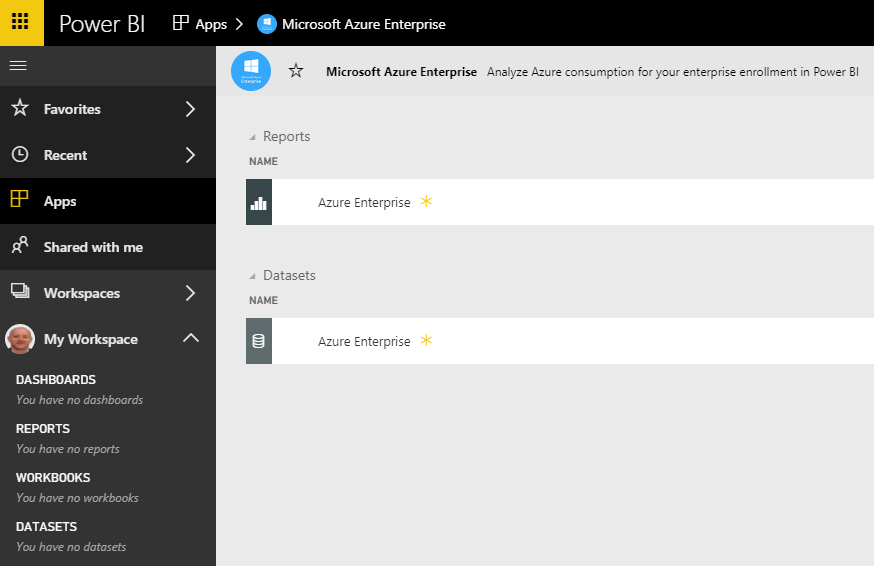
I've added the Azure Enterprise dataset to my workspace in order to build my own reports and dashboards (provided the enrollment number and API key from Azure portal) but although a default report appears, I don't see the dataset listed in my workspace and I'm unable to create any reports from the data.
At a complete loss as to explain why I'm not seeing the dataset appear - no errors as far as I can tell.
Anyone have any thoughts/pointers?
Thanks.
Solved! Go to Solution.
Hi @jmroderick,
App is not editable. Even we have got the app in our workspace, the dataset inside it won't be placed in "Dataset" list. We are not able to create new report based on it.
Regards,
Yuliana Gu
Hi @jmroderick,
App is not editable. Even we have got the app in our workspace, the dataset inside it won't be placed in "Dataset" list. We are not able to create new report based on it.
Regards,
Yuliana Gu
Check out the November 2025 Power BI update to learn about new features.
Advance your Data & AI career with 50 days of live learning, contests, hands-on challenges, study groups & certifications and more!