
Join us at FabCon Atlanta from March 16 - 20, 2026, for the ultimate Fabric, Power BI, AI and SQL community-led event. Save $200 with code FABCOMM.
Register now!The Power BI Data Visualization World Championships is back! Get ahead of the game and start preparing now! Learn more
Hello all!
Could you please support me with the case below? I am actually trying to do a visualization as timeline cause I want to show like a tracking for the Deliveries.
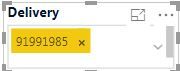
On my dashboard I have this slicer which I can put a specific delivery number
So lets say I place the Delivery below: 91991985
Then the as timeline will give me the information I need below, basically showing the dates these events happened.
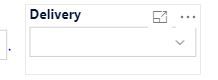
However the problem is: As there are many deliveries, if I dont filter any of them leaving the Delivery field in blank....
...then I will have the visualization below, which is terrible. I need to present it to managerial level when they open the dashboard, I would not like them to see this mess with all the Deliveries. I
Is there any possibility to make this visualization better before filtering the Delivery I need?
Thank you for your support,
Kind Regards
Hi @Anonymous,
For your scenario, I'm afraid you could use IF and ISFILTERED functions to judge first, if it is filtered, you could show the filtered value, if it is not filtered, you could present it to managerial level by defalt.
Best Regards,
Cherry
Hi Cherry,
Thanks for your response. Actually I did not really get waht you said.
On this scenario it is a slicer, not a column so I can't insert a formula on it as far as I understand
The Power BI Data Visualization World Championships is back! Get ahead of the game and start preparing now!
| User | Count |
|---|---|
| 56 | |
| 55 | |
| 31 | |
| 17 | |
| 14 |