cancel
Showing results for 
Search instead for 
Did you mean: 

Vote for your favorite vizzies from the Power BI Dataviz World Championship submissions. Vote now!

Reply
cordelsj
New Member

copy visual

Can I copy a visual from a PowerBI Report Report Server to PowerPoint or word?  when I right click I copy see a copy option.  nor do I see anything with the ...


I am running on an older version of Report Server.


1 ACCEPTED SOLUTION
v-henryk-mstf
Community Support
Community Support

Hi @cordelsj ,


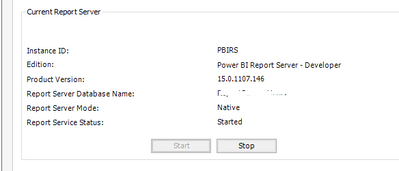
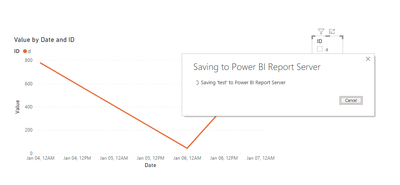
This is not a problem caused by the version, I did the test in the latest version of powerbi report server and the situation is the same as yours. Click on the top right corner of visual "..." There is no copy visual function.

vhenrykmstf_2-1637570711935.png


vhenrykmstf_0-1637570521252.pngvhenrykmstf_1-1637570555361.png

If you simply want to display the results of the current visual in PowerPoint or word, just take a screenshot and copy it over. This is by far the easiest way.


Best Regards,
Henry


If this post helps, then please consider Accept it as the solution to help the other members find it more quickly.

View solution in original post

2 REPLIES 2
v-henryk-mstf
Community Support
Community Support

Hi @cordelsj ,


This is not a problem caused by the version, I did the test in the latest version of powerbi report server and the situation is the same as yours. Click on the top right corner of visual "..." There is no copy visual function.

vhenrykmstf_2-1637570711935.png


vhenrykmstf_0-1637570521252.pngvhenrykmstf_1-1637570555361.png

If you simply want to display the results of the current visual in PowerPoint or word, just take a screenshot and copy it over. This is by far the easiest way.


Best Regards,
Henry


If this post helps, then please consider Accept it as the solution to help the other members find it more quickly.

FarhanAhmed
Community Champion
Community Champion

No you can't copy visual to Power Point or Word. You need to take screenshot of your visual and then paste it to Word or Power Point.


Or you can take the Print to PDF of your Whole PBI Report.


Did I answer your question? Mark my post as a solution! Appreciate your Kudos!!

Proud to be a Super User!


Helpful resources

Announcements
Power BI DataViz World Championships

Power BI Dataviz World Championships

Vote for your favorite vizzies from the Power BI World Championship submissions!

Sticker Challenge 2026 Carousel

Join our Community Sticker Challenge 2026

If you love stickers, then you will definitely want to check out our Community Sticker Challenge!

January Power BI Update Carousel

Power BI Monthly Update - January 2026

Check out the January 2026 Power BI update to learn about new features.

FabCon Atlanta 2026 carousel

FabCon Atlanta 2026

Join us at FabCon Atlanta, March 16-20, for the ultimate Fabric, Power BI, AI and SQL community-led event. Save $200 with code FABCOMM.