cancel
Showing results for 
Search instead for 
Did you mean: 

The Power BI Data Visualization World Championships is back! Get ahead of the game and start preparing now! Learn more

Reply
Eleftheria_K
Frequent Visitor

Static Row Level Security

Hello,


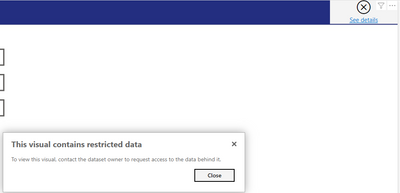
I have created row level security roles based on products on the Desktop. On the server, after uploading the report, setting the security configurations, I have configured some of the users to each role. But, I realised that me and my collegues are not assigned to a specific role  can not view the report. Instead they receive the message "This visual contains restricted data: to view this visual contact the dataset owner to request acess to the data behind it"

Eleftheria_K_0-1653569992887.png


How can I configure it and the back-officers view the report filtered to the product they are responsible for (roles) and all the other viewers (managers, directors and my team) to all the data?


Thank you in advance,

Eleftheria

1 ACCEPTED SOLUTION
Icey
Community Support
Community Support

Hi @Eleftheria_K ,


Based on the official document, it is needed to create a new role with all data access in Power BI Desktop and then assign the corresponding users to the role. Then they will have access to all data.


Report authors don't have access to view the report data in Power BI Report Server until they've assigned themselves roles accordingly after uploading the report.


Role assignments through group memberships are only supported when the Power BI Report Server is configured to run with NTLM or Kerberos authentication. Servers running with Custom authentication or Windows Basic need users explicitly assigned to roles.


Best Regards,

Icey


If this post helps, then please consider Accept it as the solution to help the other members find it more quickly.

View solution in original post

2 REPLIES 2
Icey
Community Support
Community Support

Hi @Eleftheria_K ,


Based on the official document, it is needed to create a new role with all data access in Power BI Desktop and then assign the corresponding users to the role. Then they will have access to all data.


Report authors don't have access to view the report data in Power BI Report Server until they've assigned themselves roles accordingly after uploading the report.


Role assignments through group memberships are only supported when the Power BI Report Server is configured to run with NTLM or Kerberos authentication. Servers running with Custom authentication or Windows Basic need users explicitly assigned to roles.


Best Regards,

Icey


If this post helps, then please consider Accept it as the solution to help the other members find it more quickly.
Thank you!

Helpful resources

Announcements
November Power BI Update Carousel

Power BI Monthly Update - November 2025

Check out the November 2025 Power BI update to learn about new features.

Fabric Data Days Carousel

Fabric Data Days

Advance your Data & AI career with 50 days of live learning, contests, hands-on challenges, study groups & certifications and more!

FabCon Atlanta 2026 carousel

FabCon Atlanta 2026

Join us at FabCon Atlanta, March 16-20, for the ultimate Fabric, Power BI, AI and SQL community-led event. Save $200 with code FABCOMM.