Join us at FabCon Atlanta from March 16 - 20, 2026, for the ultimate Fabric, Power BI, AI and SQL community-led event. Save $200 with code FABCOMM.
Register now!The Power BI Data Visualization World Championships is back! Get ahead of the game and start preparing now! Learn more
Dear all,
we want to setup a test environment for the Power BI Report Server. So long we failed to get it up and running.
First try was:
Windows Server 2012
MS SQL Server 2016 SP1 Express
PowerBIReport Server (October 2017)
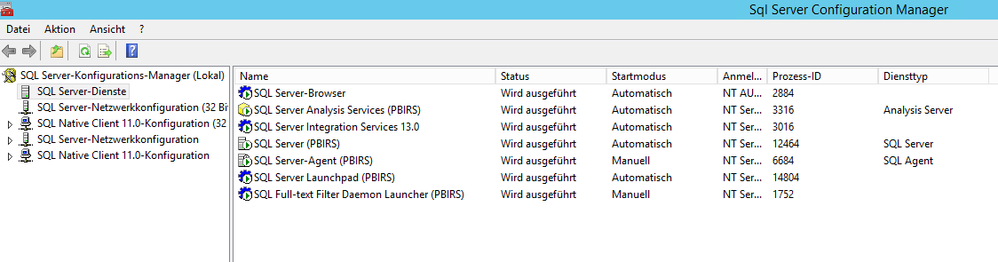
Instance Name: PBIRS
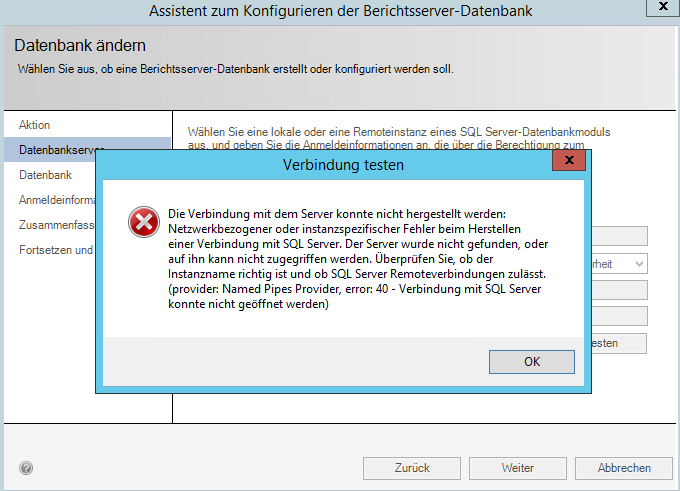
Error message while creating the report database
Second Try was:
Windows Server 2012 R2
MS SQL Server 2016 Evaluation
PowerBI Report Server (October 2017)
Instance Name: PBIRS
Same Error message
Can somone give advice?
Hi @Hascins,
What does the error message mean? Could you please translate it into English to help me better understand?
Regards,
Yuliana Gu
Hey, sure:
A network-related or instance-specific error occurred while establishing a connection to SQL Server. The server was not found or was not accesssible. Verify that the instance name is correct and that SQL Server is configured to allow remote connection. (provider: Named Pipes Provider, error: 40 - Could not open a connection to SQL Server.
Thanks in advance!
Hi @Hascins,
First, you should make sure the machine that is running SQL Server is reachable. In other words, you are able to ping the server. Then, test whether you can connect to the same DB instance in SSMS.
For more proposals, please check below links:
Troubleshoot Connecting to the SQL Server Database Engine
Regards,
Yuliana Gu
The Power BI Data Visualization World Championships is back! Get ahead of the game and start preparing now!
| User | Count |
|---|---|
| 5 | |
| 3 | |
| 3 | |
| 3 | |
| 3 |