Join us at FabCon Atlanta from March 16 - 20, 2026, for the ultimate Fabric, Power BI, AI and SQL community-led event. Save $200 with code FABCOMM.
Register now!The Power BI Data Visualization World Championships is back! Get ahead of the game and start preparing now! Learn more
We are running into an issue with the comparison chart visual in SSRS Mobile reports where the detail totals are being cut off after we select a detail with a smaller about of text and then another with a larger amount of text. It appears the width of these fields do not change until the report is refreshed.
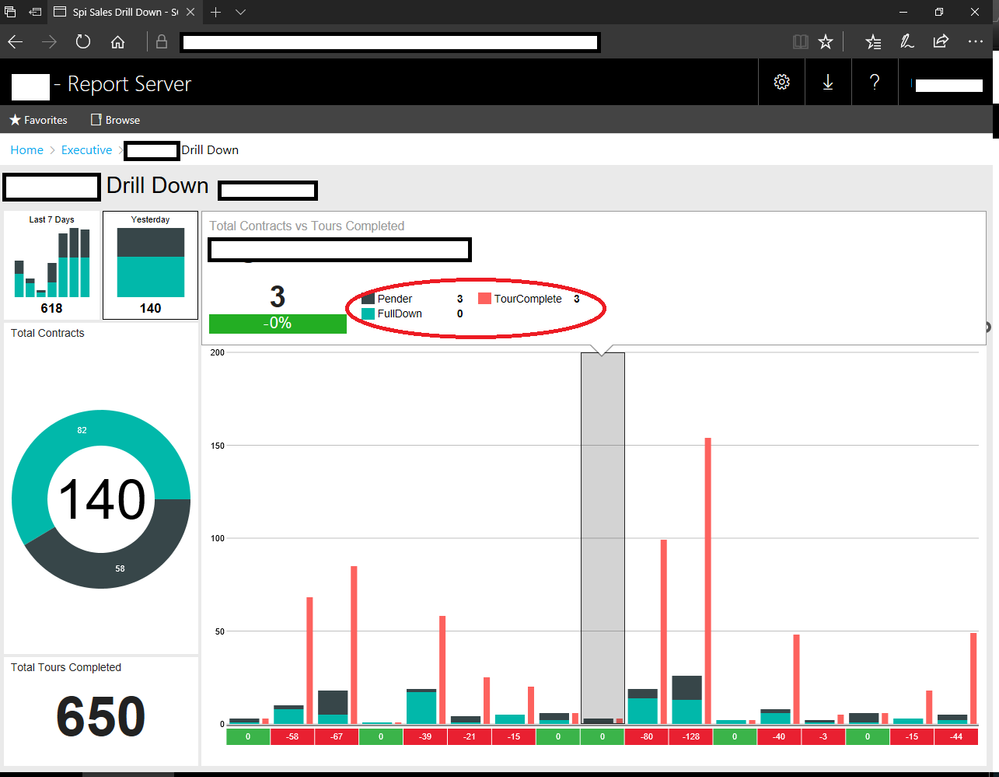
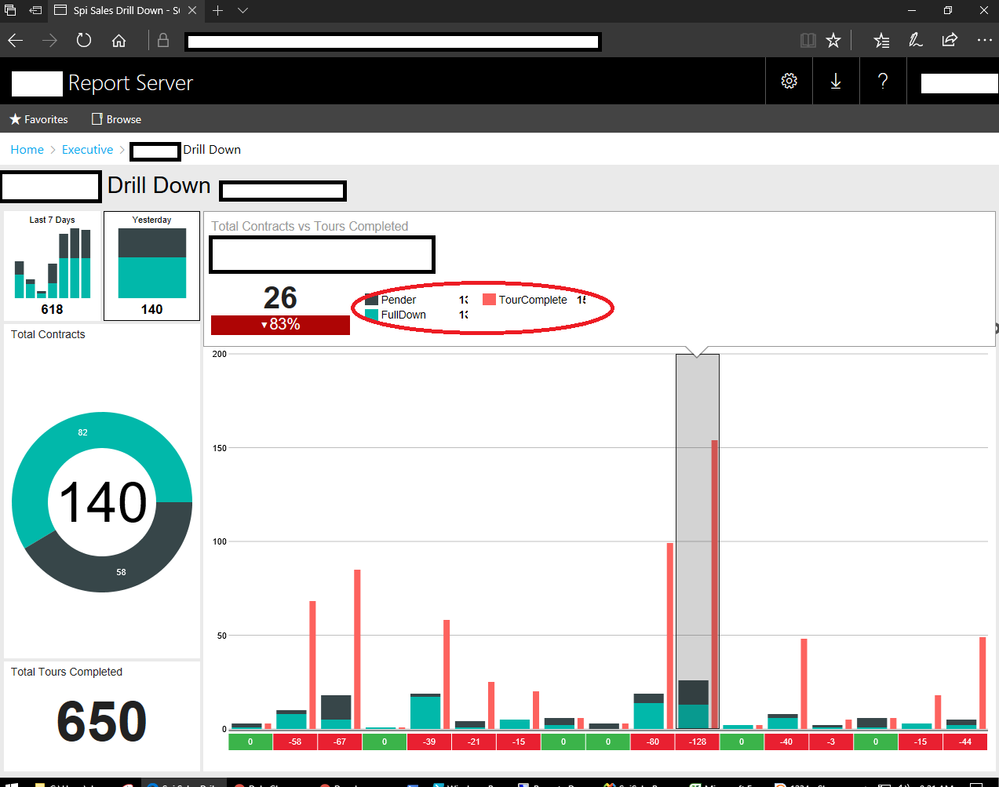
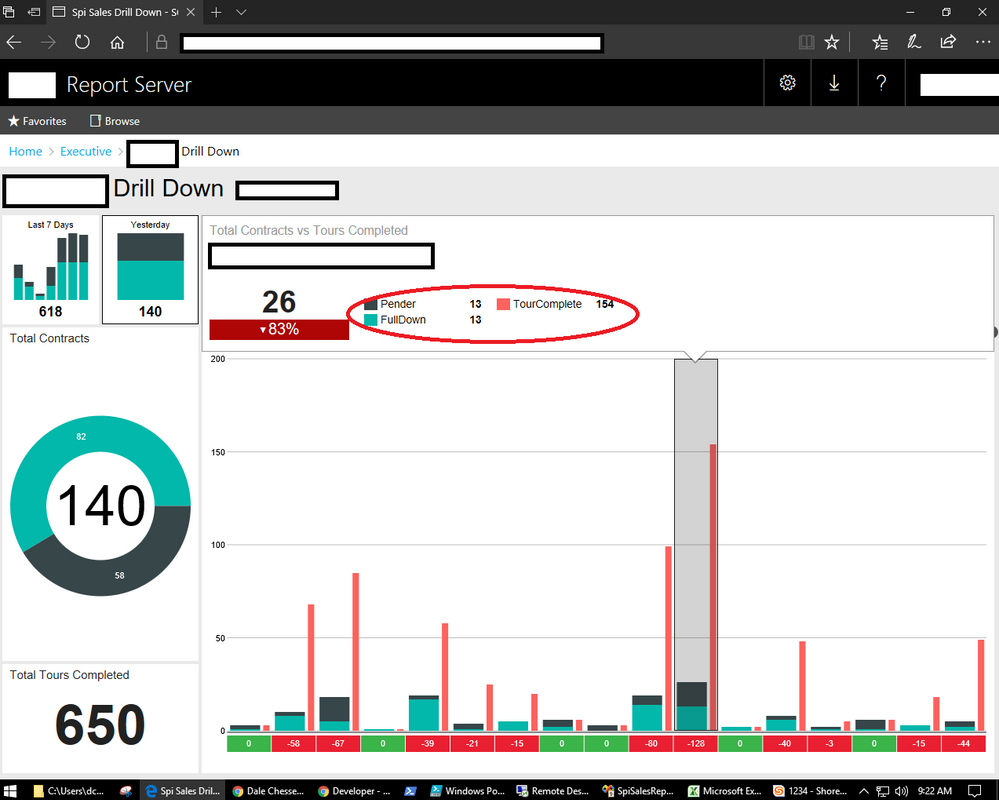
See below:
First we select a column with a low total and a narrow label.
Then we select a column with a higher total and a wide label. Notice these numbers are cut off
After refreshing and selecting the high number column first it is correct/
We have been able to reprodcuce this in mulitple cases. We are running SP1CU5 (13.0.4451.0).
Does anyone know if this is a known bug or if there is something we can do to resolve it?
Hi @squatex,
Based on my test, this issue also exists in Mobile Report Publisher. It is more related to Mobile Report create tool, please post your question on SSRS forum.
Regards,
Yuliana Gu
The Power BI Data Visualization World Championships is back! Get ahead of the game and start preparing now!
| User | Count |
|---|---|
| 6 | |
| 3 | |
| 3 | |
| 3 | |
| 2 |