Join us at FabCon Atlanta from March 16 - 20, 2026, for the ultimate Fabric, Power BI, AI and SQL community-led event. Save $200 with code FABCOMM.
Register now!The Power BI Data Visualization World Championships is back! Get ahead of the game and start preparing now! Learn more
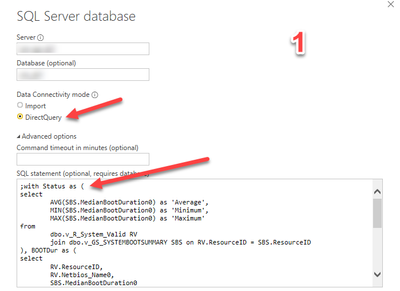
I create reports with live data (Direct Query) connect them to the Power BI Report Server, on many of my reports I use CTE’s in my query, Power BI lets me retrieve data into the Power Query Editor which looks great and next moment I click on ‘Close and Apply’ which is supposed to load the dataset on Power BI Desktop I get an error message.
Work-around using an Import query is not an option because reports need live data. I’ve observed this issue is on-going for some years now, needs a fix as soon as possible, as all the reports created are for the Report Server.
Are there any suggestions to work with CTEs and Direct Query?
The Query uses CTE’s with Direct Query
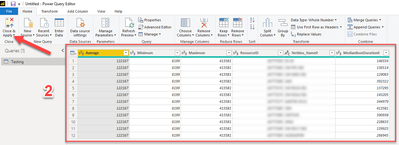
data retrieved successfully into Power Query Editor,
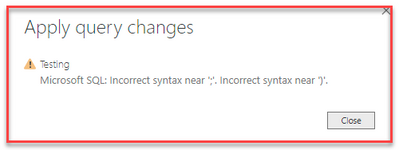
This is the error message I receive on the Power BI Desktop workspace. No further details to this message.
@Anonymous
why dont you create a view in your origin SQL DB?
I see there are a lot of issues with CTE in Direct Query mode, like
https://community.powerbi.com/t5/Desktop/Custom-query-with-CTE-not-supported-bug/td-p/41395
also, please, vote for idea here
https://ideas.powerbi.com/ideas/idea/?ideaid=c0f672db-981d-45f2-982d-36bbf39b16f6
Microsoft does not allow the SCCM DB to be edited,
The Power BI Data Visualization World Championships is back! Get ahead of the game and start preparing now!
| User | Count |
|---|---|
| 6 | |
| 3 | |
| 3 | |
| 3 | |
| 2 |