cancel
Showing results for 
Search instead for 
Did you mean: 

The Power BI Data Visualization World Championships is back! Get ahead of the game and start preparing now! Learn more

Reply
SergK
Regular Visitor

SMTP TLS 1.2

Hello,

I have a Windows Server 2019 (all updates) and a PBI Report Server May 2021 - 15.0.1106.169.

I use the standard functionality for sending email in PBI + Exchange Online mailbox.

Server 2019 support tls 1.2 from the box.

The problem:

PBI sends mail using tls 1.0 - I can see this in the tls usage reports on M365

According to the MS documentation, support for tls 1.0 and 1.1 will be discontinued in 2022.

How to force PBI to use TLS 1.2 for email?


PS I apologize for my English.


6 REPLIES 6
SergK
Regular Visitor

after I disabled tls 1.0 and 1.1, the mail stopped being sent at all.


ERROR: Error sending email. Exception: System.AggregateException: One or more errors occurred. ---> System.Net.Mail.SmtpException: Failure sending mail. ---> System.ComponentModel.Win32Exception: The client and server cannot communicate, because they do not possess a common algorithm
at System.Net.Mail.SmtpConnection.ConnectAndHandshakeAsyncResult.End(IAsyncResult result)
at System.Net.Mail.SmtpTransport.EndGetConnection(IAsyncResult result)
at System.Net.Mail.SmtpClient.ConnectCallback(IAsyncResult result)
--- End of inner exception stack trace ---
at System.Threading.Tasks.Task.ThrowIfExceptional(Boolean includeTaskCanceledExceptions)
at System.Threading.Tasks.Task.Wait(Int32 millisecondsTimeout, CancellationToken cancellationToken)
at System.Threading.Tasks.Task.Wait(TimeSpan timeout)
at Microsoft.ReportingServices.EmailDeliveryProvider.EmailProvider.Deliver(Notification notification)
---> (Inner Exception #0) System.Net.Mail.SmtpException: Failure sending mail. ---> System.ComponentModel.Win32Exception: The client and server cannot communicate, because they do not possess a common algorithm
at System.Net.Mail.SmtpConnection.ConnectAndHandshakeAsyncResult.End(IAsyncResult result)
at System.Net.Mail.SmtpTransport.EndGetConnection(IAsyncResult result)
at System.Net.Mail.SmtpClient.ConnectCallback(IAsyncResult result)
--- End of inner exception stack trace ---<---
. Additional Information: SmtpException StatusCode:GeneralFailure

Anonymous
Not applicable
Anonymous
Not applicable

@SergK 

I guess you are looking for this doc:


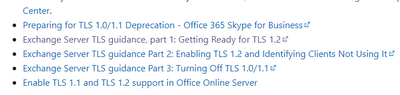
Preparing for TLS 1.2 in Office 365 and Office 365 GCC - Microsoft 365 Compliance | Microsoft Docs

Vpazhenmsft_0-1632722432993.png


Paul Zheng _ Community Support Team
If this post helps, please Accept it as the solution to help the other members find it more quickly.

Hello, 

what do you suggest? disable 1.1 and 1.0 on the server entirely? I can try.

What about Basic Auth?

SergK
Regular Visitor

And more:

Microsoft announced that they are restarting the program to end the use of Basic Auth in Exchange Online. Beginning October 1, 2022, Microsoft will begin to disable Basic Auth in all tenants, regardless of usage.


Need support Modern Authentication in PBI.

why doesn't anyone care?

SergK
Regular Visitor

the most recent update:

Today, we are announcing that, effective October 1, 2022, we will begin to permanently disable Basic Auth in all tenants, regardless of usage (with the exception of SMTP Auth, which can still be re-enabled after that).

so in theory, PBI will be able to send mail after October 1, 22

Helpful resources

Announcements
Power BI DataViz World Championships

Power BI Dataviz World Championships

The Power BI Data Visualization World Championships is back! Get ahead of the game and start preparing now!

November Power BI Update Carousel

Power BI Monthly Update - November 2025

Check out the November 2025 Power BI update to learn about new features.

FabCon Atlanta 2026 carousel

FabCon Atlanta 2026

Join us at FabCon Atlanta, March 16-20, for the ultimate Fabric, Power BI, AI and SQL community-led event. Save $200 with code FABCOMM.