This time we’re going bigger than ever. Fabric, Power BI, SQL, AI and more. We're covering it all. You won't want to miss it.
Learn moreLevel up your Power BI skills this month - build one visual each week and tell better stories with data! Get started
Hello!
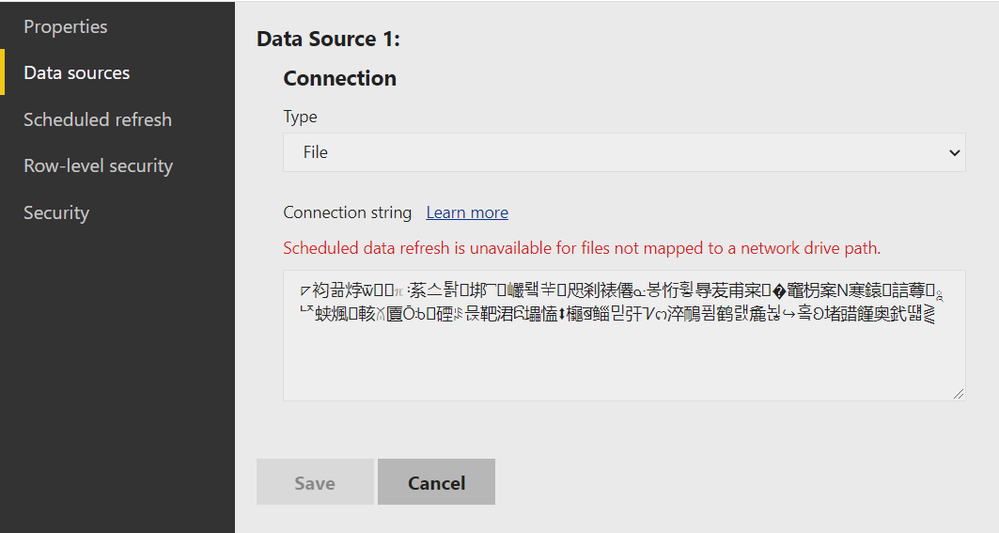
I have some problem with data source after changing my credentials. This problem is on screenshot below.
I can't change anything here and I don't know what to do.
Maybe someone have encountered such problem and can help with advice.
Thank you in advance!
Solved! Go to Solution.
It looks like the problem has solved by itself. Thank you everyone who tried to help.
Looks like you are using File path as "DriveName:\Folder Path" eg "E:\PBIFolder".
In order to create a scheduled refresh, you need this path to be converted to network one by sharing it and hence it will become "\\ComputerName\PBIFolder" then you will be able to schedule refresh data in PBIRS.
Proud to be a Super User!
Hello,@Anonymous
Are you saying that you can't modify the content of the input box? Do you still have the desktop file? Have you tried to upload it again?
Did I answer your question? Please mark my reply as solution. Thank you very much.
If not, please feel free to ask me.
Best Regards,
Community Support Team _ Janey
Check out the April 2026 Power BI update to learn about new features.
Sign up to receive a private message when registration opens and key events begin.
If you have recently started exploring Fabric, we'd love to hear how it's going. Your feedback can help with product improvements.
| User | Count |
|---|---|
| 3 | |
| 2 | |
| 2 | |
| 1 | |
| 1 |
| User | Count |
|---|---|
| 3 | |
| 2 | |
| 2 | |
| 2 | |
| 2 |