This time we’re going bigger than ever. Fabric, Power BI, SQL, AI and more. We're covering it all. You won't want to miss it.
Learn moreDid you hear? There's a new SQL AI Developer certification (DP-800). Start preparing now and be one of the first to get certified. Register now
I am looking for a way to query the ReportServer database to find the name of the embeded data sources in a PowerBi report. I know how to do this for SSRS reports, but can't figure out how to get it for PowerBi reports.
Solved! Go to Solution.
Hi @tcschroeder ,
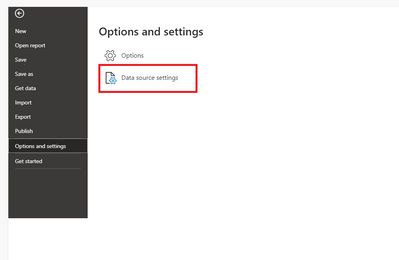
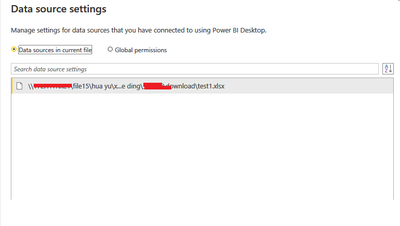
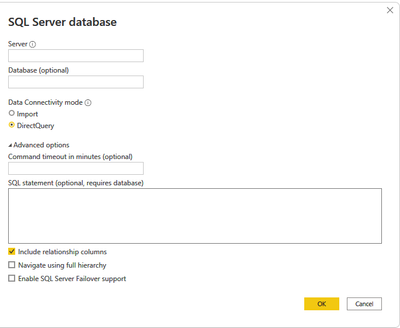
Power BI Desktop as a tool does not have a corresponding database (like when report server is deployed, a corresponding database is created, so we can look up its data source information via sql). We need to use Power BI Desktop to open the PBIX file and then view the data source through the following interface.
Best Regards
Lucien
Hi @tcschroeder ,
Power BI Desktop as a tool does not have a corresponding database (like when report server is deployed, a corresponding database is created, so we can look up its data source information via sql). We need to use Power BI Desktop to open the PBIX file and then view the data source through the following interface.
Best Regards
Lucien
Hi @tcschroeder ,
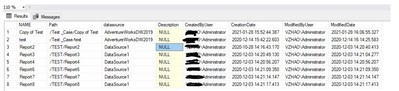
You could obtain the data source name corresponding to the report in the specified database through the following TSQL query:
USE [ReportServer]
GO
SELECT CATALOG.NAME
,CATALOG.[Path]
,DataSource.NAME datasource
,CATALOG.[Description]
,Created.UserName AS CreatedByUser
,CATALOG.[CreationDate]
,Modified.UserName AS ModifiedByUser
,CATALOG.[ModifiedDate]
FROM [dbo].[Catalog]
LEFT JOIN (
SELECT [UserID]
,[UserName]
FROM [dbo].[Users]
) AS Created ON CATALOG.CreatedByID = Created.UserID
LEFT JOIN (
SELECT [UserID]
,[UserName]
FROM [dbo].[Users]
) AS Modified ON CATALOG.ModifiedByID = Modified.UserID
JOIN DataSource ON CATALOG.ItemID = DataSource.ItemID
JOIN CATALOG cat1 ON DataSource.Link = cat1.ItemID
WHERE CATALOG.[Type] = 2
ORDER BY [Path]
,NAME
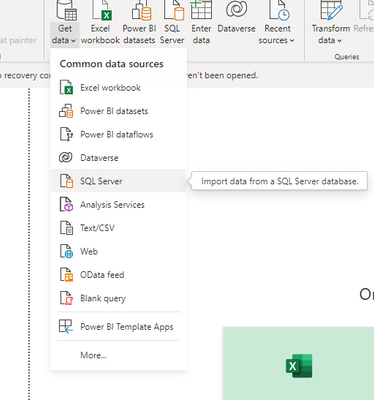
And you could get data from sql through using Power BI.
Did I answer your question? Mark my post as a solution!
Best Regards
Lucien
Actually no. This is showing the data sources for the SSRS reports (.rdl's). That is what I am able to get. What I am interested in is the data sources for PowerBI documents (.pbix).
Check out the April 2026 Power BI update to learn about new features.
Sign up to receive a private message when registration opens and key events begin.
If you have recently started exploring Fabric, we'd love to hear how it's going. Your feedback can help with product improvements.
| User | Count |
|---|---|
| 4 | |
| 3 | |
| 2 | |
| 2 | |
| 1 |