This is best Fabric, Power BI, SQL and AI community event. How do we know? The last event sold out! Save €200 with code FABCMTY200.
Register nowA new Data Days event is coming soon! This time we’re going bigger than ever. Fabric, Power BI, SQL, AI and more. Don't miss out.
When I use Network Navigator in the Power bi desktop, I create a color-coded network visualization using "Source Node Color" and "Target Node Color" fields. However, once I publish it to the report server, all colors are changed to black!
I tried different web browsers and it didn't solve the issue.
Any solution for this?
Hi @aborhani86 ,
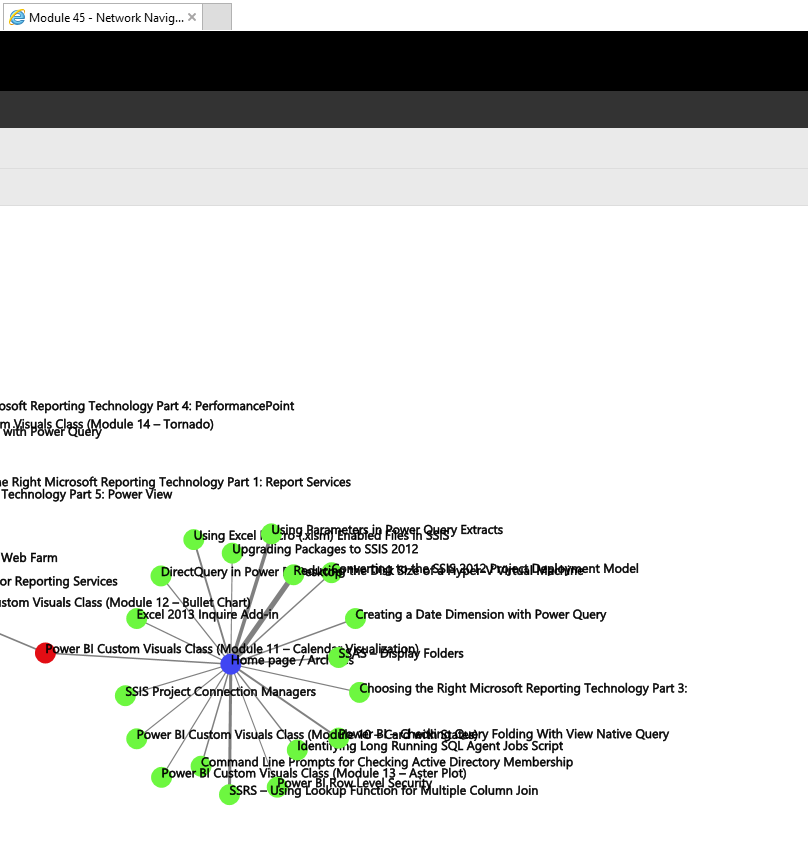
It works well based on my test in ie11, have you ever try to use chrome?
If the issue is still existing would you please try to use latest version of report server and desktop for RS. You can also follow the document to check if you miss any configuration: https://blog.pragmaticworks.com/power-bi-custom-visuals-network-navigator
If this post helps, then please consider Accept it as the solution to help the other members find it more quickly.
Best Regards,
Dedmon Dai
Check out the May 2026 Power BI update to learn about new features.
Sign up to receive a private message when registration opens and key events begin.
If you have recently started exploring Fabric, we'd love to hear how it's going. Your feedback can help with product improvements.