Join us at FabCon Atlanta from March 16 - 20, 2026, for the ultimate Fabric, Power BI, AI and SQL community-led event. Save $200 with code FABCOMM.
Register now!The Power BI Data Visualization World Championships is back! It's time to submit your entry. Live now!
Hi everyone,
My report is almost complete but I still have a question :
I would like to display the date of recording (from my database (Oracle), once a month).
Is it possible to make a parameter or something ?
And the same for the loading of my Excel files, I tried but I can't do it.
If someone could give me some ideas ?
Thanks by advance,
Have a nice day !!
Solved! Go to Solution.
go to Get data --> Blank Query
Goto Advanced Editor
Delete everything in there and replace it with this:
let
Source = #table(type table[LastRefresh=datetime], {{DateTime.LocalNow()}})
in
Source
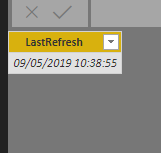
This will give you a date and time everytime the report refreshes
go to Get data --> Blank Query
Goto Advanced Editor
Delete everything in there and replace it with this:
let
Source = #table(type table[LastRefresh=datetime], {{DateTime.LocalNow()}})
in
Source
This will give you a date and time everytime the report refreshes
Hi ! Thanks so much @Anonymous !
It's working
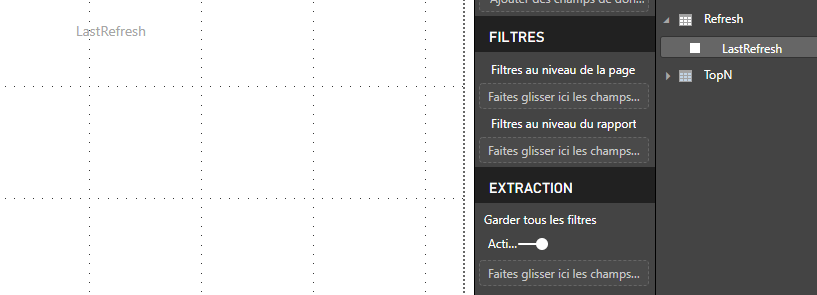
but I don't know how to put it on my report
it's blank even if i've got the right information in my data
Thanks by advance,
Have a nice day !
Ok, I just find the solution, I created a new measure
The Power BI Data Visualization World Championships is back! It's time to submit your entry.
Check out the January 2026 Power BI update to learn about new features.
| User | Count |
|---|---|
| 3 | |
| 2 | |
| 2 | |
| 1 | |
| 1 |
| User | Count |
|---|---|
| 4 | |
| 3 | |
| 3 | |
| 1 | |
| 1 |