Join us at FabCon Atlanta from March 16 - 20, 2026, for the ultimate Fabric, Power BI, AI and SQL community-led event. Save $200 with code FABCOMM.
Register now!Vote for your favorite vizzies from the Power BI Dataviz World Championship submissions. Vote now!
Hi everyone,
My report is almost complete but I still have a question :
I would like to display the date of recording (from my database (Oracle), once a month).
Is it possible to make a parameter or something ?
And the same for the loading of my Excel files, I tried but I can't do it.
If someone could give me some ideas ?
Thanks by advance,
Have a nice day !!
Solved! Go to Solution.
go to Get data --> Blank Query
Goto Advanced Editor
Delete everything in there and replace it with this:
let
Source = #table(type table[LastRefresh=datetime], {{DateTime.LocalNow()}})
in
Source
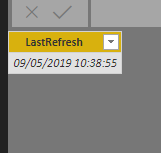
This will give you a date and time everytime the report refreshes
go to Get data --> Blank Query
Goto Advanced Editor
Delete everything in there and replace it with this:
let
Source = #table(type table[LastRefresh=datetime], {{DateTime.LocalNow()}})
in
Source
This will give you a date and time everytime the report refreshes
Hi ! Thanks so much @Anonymous !
It's working
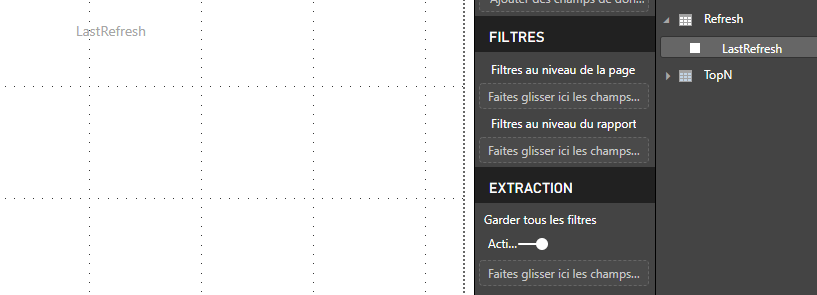
but I don't know how to put it on my report
it's blank even if i've got the right information in my data
Thanks by advance,
Have a nice day !
Ok, I just find the solution, I created a new measure
Vote for your favorite vizzies from the Power BI World Championship submissions!
If you love stickers, then you will definitely want to check out our Community Sticker Challenge!
Check out the January 2026 Power BI update to learn about new features.
| User | Count |
|---|---|
| 6 | |
| 4 | |
| 4 | |
| 3 | |
| 2 |