cancel
Showing results for 
Search instead for 
Did you mean: 

July 7 - July 17 | Round 2 of the Power BI Dataviz World Championships. Don't miss your chance! Learn more

Reply
dasrealder
New Member

Import visual custom elements does not work

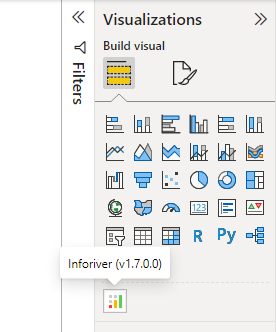
When I go into the loading element after that it freezes on the loading icon

1. I select an element

dasrealder_2-1669642200942.png


2. Freezes on the download icon

dasrealder_1-1669642080673.png


3 REPLIES 3
sebbayard
Helper I
Helper I

I have the same issue. Haven't been able to add custom visuals since yesterday. 

Anonymous
Not applicable

Hi @dasrealder ,

I try to add the visual that you want to add to the Power BI Desktop for RS, it could add successfuly

vbinbinyumsft_0-1669700371928.png

My Desktop vision is: Version: 2.109.1021.0 64-bit (September 2022)

Please try to upgrade your Desktop and restart your computer, then try to add this visual again.


Best regards,
Community Support Team_Binbin Yu
If this post helps, then please consider Accept it as the solution to help the other members find it more quickly.

It didn't help me! My Desktop vision is: Version: 2.111.590.0 64-bit (November 2022)

Helpful resources

Announcements
FabCon and SQLCon Barcelona 2026

FabCon & SQLCon – Barcelona 2026

Join us in Barcelona for FabCon and SQLCon, the Fabric, Power BI, SQL, and AI community event. Save €200 with code FABCMTY200.

60 days of Data Days Carousel

Data Days 2026

Join Fabric Data Days 2026: 60 days of free live/on-demand sessions, challenges, study groups, and certification opportunities.

Power BI DataViz World Championships carousel

Power BI DataViz World Championships - June 2026

A new Power BI DataViz World Championship is coming this June! Don't miss out on submitting your entry.