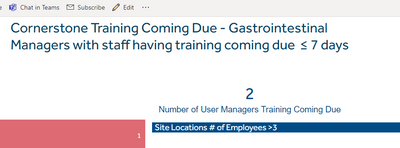
I am bringing it in with a json file as the theme. how can i add this to the report server?
{"name":"GOBS Theme2","background":"#ffffff","foreground":"#004b87","tableAccent":"#b9d9eb","dataColors":["#001e46","#0085ca","#71c5e8","#004b87","#00a9e0","#b9d9eb","#535651","#888b8d","#5b7f95","#b1b3b3","#e8e8e7","#ffce00","#f7a800","#e35205","#b0008e","#77bc1f","#00c4b3","#ff3333","#339933","#ffff00","#168980","#293537","#BB4A4A","#B59525","#475052","#6A9FB0","#BD7150","#7B4F71","#1B4D5C","#706060","#0F5C55","#1C2325"],"visualStyles":{"*":{"*":{"title":[{"show":false,"fontColor":{"solid":{"color":"#ffffff"}},"background":{"solid":{"color":"#004b87"}},"alignment":"left","fontFamily":"Effra","fontSize":12}],"*":[{"fontSize":10,"fontFamily":"Effra","color":{"solid":{}},"goodColor":{"solid":{"color":"#7BF669"}},"neutralColor":{"solid":{"color":"#004B87"}},"badColor":{"solid":{"color":"#FC727A"}},"sentimentColors":[{"increaseFill":{"solid":{"color":"#339933"}},"decreaseFill":{"solid":{"color":"#ff3333"}},"totalFill":{"solid":{"color":"#535651"}},"otherFill":{"solid":{"color":"#ffff00"}}}]}]}},"card":{"*":{"title":[{"show":false,"fontColor":{"solid":{"color":"#ffffff"}},"background":{"solid":{"color":"#004b87"}},"alignment":"left","fontFamily":"Effra","fontSize":12}],"labels":[{"color":{"solid":{"color":"#004b87"}},"labelDisplayUnits":"0","labelPrecision":0,"fontSize":24,"fontFamily":"Effra"}],"categoryLabels":[{"show":true,"color":{"solid":{"color":"#004b87"}},"fontSize":12,"fontFamily":"Arial"}],"wordWrap":[{"show":true}],"background":[{"show":true,"color":{"solid":{"color":"#ffffff"}},"transparency":0}],"border":[{"show":false,"color":{"solid":{"color":"#004b87"}}}]}}}}