cancel
Showing results for 
Search instead for 
Did you mean: 

View all the Fabric Data Days sessions on demand. View schedule

Reply
whereismydata
Resolver IV
Resolver IV

Export Pagianted Report via URL | Subscription PDF naming convention

Hi 🙂


we use an on-prem power bi reporting server for hosting our reports. I've created some paginated reports with subcriptions, eg. export every month to windows file share. Only issue I have is the naming of the pdf file. Every month the pdf should be named like "report_month_year.pdf" I did not find any sufficient solution - all I found was to ad '@timestamp' to create a timestamp. But this is not working for me since I export the report not in the same month as the data shown in the report.


During my research I stumbled upon export a report via URL. Since I use MS Flow quite a lot I was wondering if I could build a flow which downloads the pdf and then also renames it (I know, I also could export the pdf via subscription and then rename it with flow)


And here is my problem:

https://docs.microsoft.com/en-us/sql/reporting-services/url-access-parameter-reference?view=sql-serv... says the syntax for exporting is:

https://myrshost/ReportServer?/myreport&rs:Format=PDF

with the example:

https://servername/ReportServer_THESQLINSTANCE/Pages/ReportViewer.aspx?%2freportfolder%2freport+name+with+spaces&rs:Format=pptx

I access our reporting server by this domain:

http://ourserver/Reports/browse/

When I try this nothing happens, I just get redirected to the favorites pane:

http://ourserver/Reports/Pages/ReportViewer.aspx?%2freport%2fPaginated%20Reports&rs:Format=PDF

So I guess I have two questions:

1) is there a solution where I can handle naming in the subscription menu (or in the sql job)

2) what's wrong with my link?


Hope someone can help me. Thank you very much!!


1 ACCEPTED SOLUTION
whereismydata
Resolver IV
Resolver IV

Hi,


I did find the error; I got confused with the folder in the syntax.


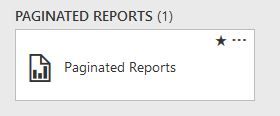
Paginated Reports are uploaded into the the 'folder' 'Paginated Reports'


1.JPG


and looking at the destination I thought I have to use the folder 'report' as well.


http://server/reports/browse/report/Paginated%20Reports

but instead I just have to use the filename; apparently this folder is not a real folder

http://server/ReportServer/Pages/ReportViewer.aspx?%2fPaginated+Reports&rs:Format=PDF 


View solution in original post

5 REPLIES 5
whereismydata
Resolver IV
Resolver IV

Hi,


I did find the error; I got confused with the folder in the syntax.


Paginated Reports are uploaded into the the 'folder' 'Paginated Reports'


1.JPG


and looking at the destination I thought I have to use the folder 'report' as well.


http://server/reports/browse/report/Paginated%20Reports

but instead I just have to use the filename; apparently this folder is not a real folder

http://server/ReportServer/Pages/ReportViewer.aspx?%2fPaginated+Reports&rs:Format=PDF 


Anonymous
Not applicable

Hi,


I had the same problem and would like to download the paginated report by url. And it did not work, do you have the solution for that? Thanks.


Regards,

Jimmy

Hi @Anonymous 


I posted my solution above, but in short:

just attach the filename of the report to the url of your report server.

http://server/ReportServer/Pages/ReportViewer.aspx?%2fPaginated+Reports&rs:Format=PDF 


bradsy
Microsoft Employee
Microsoft Employee

The http://server/reports directory is for the hosted front end. If you want to use the API to access the reports, then use the reportserver folder, http://server/reportserver

ah, ok. I'll give it a try.


Thank you

Helpful resources

Announcements
November Power BI Update Carousel

Power BI Monthly Update - November 2025

Check out the November 2025 Power BI update to learn about new features.

Fabric Data Days Carousel

Fabric Data Days

Advance your Data & AI career with 50 days of live learning, contests, hands-on challenges, study groups & certifications and more!

FabCon Atlanta 2026 carousel

FabCon Atlanta 2026

Join us at FabCon Atlanta, March 16-20, for the ultimate Fabric, Power BI, AI and SQL community-led event. Save $200 with code FABCOMM.