Don't miss your chance to take the Fabric Data Engineer (DP-600) exam for FREE! Find out how by attending the DP-600 session on April 23rd (pacific time), live or on-demand.
Learn moreNext up in the FabCon + SQLCon recap series: The roadmap for Microsoft SQL and Maximizing Developer experiences in Fabric. All sessions are available on-demand after the live show. Register now
Hi.. Need your help guys...
I have designed a new report in PBI Desktop and have published the same in PBI On-Premise Report Server.
I have seen options in other BI tools to find the below. I would like to know if this is possible in PBI Report Server.
1. I have scheduled automatic refresh of a report for every 1 hours and for the entire day. Would like to know how many successful refreshes for the day and how many failures for the same dataset refresh (if failed).
2. How much time taken for the dataset refresh every hour?
3. Any way to display the last data refresh time in the report?
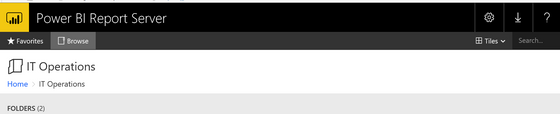
4. Is there any way to hide this big banner since it is occupying half of my laptop screen?
Please help..
Solved! Go to Solution.
Your report server database stores this data, probably called BIReportServer. I run a dashboard on my PBIRS to monitor all user activity using the tables and views in this schema.
1. Could be tricky, but maybe do a count of rsSuccess vs rsInternalError in 'Status' field in ExecutionLog3 view, or ExecutionLogStorage table
2. Inside view 'ExecutionLog3', field 'TimeDataRetrieval'
3. Inside the table 'Schedule', field called 'LastRun Time'
4. Unsure; doubtful though
Your report server database stores this data, probably called BIReportServer. I run a dashboard on my PBIRS to monitor all user activity using the tables and views in this schema.
1. Could be tricky, but maybe do a count of rsSuccess vs rsInternalError in 'Status' field in ExecutionLog3 view, or ExecutionLogStorage table
2. Inside view 'ExecutionLog3', field 'TimeDataRetrieval'
3. Inside the table 'Schedule', field called 'LastRun Time'
4. Unsure; doubtful though
No GUI option is readily available? to monitor the performance on dataset refreshes?
If you have recently started exploring Fabric, we'd love to hear how it's going. Your feedback can help with product improvements.
A new Power BI DataViz World Championship is coming this June! Don't miss out on submitting your entry.
Experience the highlights from FabCon & SQLCon, available live and on-demand starting April 14th.
| User | Count |
|---|---|
| 3 | |
| 2 | |
| 2 | |
| 2 | |
| 1 |