This is best Fabric, Power BI, SQL and AI community event. How do we know? The last event sold out! Save €200 with code FABCMTY200.
Register nowA new Data Days event is coming soon! This time we’re going bigger than ever. Fabric, Power BI, SQL, AI and more. Don't miss out.
I have a master data table and a user group dimension table. And they are joint together in the data model. The use case is, I want to give certain viewer only partial data visiablity to a specific group(usergroup). I was trying to do so by applying RLS (row level security).
For example, I created a role where group(aka. usergroup, a column in user group dimension table) = "Technical Team".
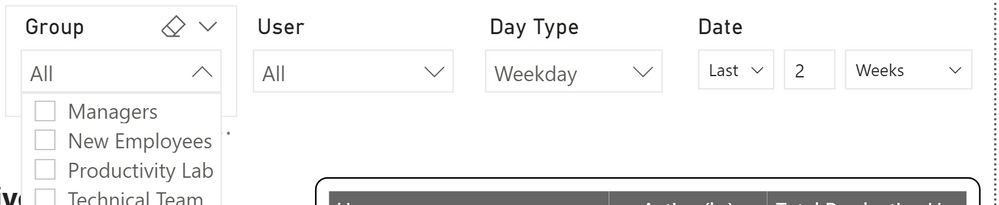
Then I tested this role by 'View As' function. You can see from the screenshot, the drop down content of group(usergroup) slicer is indeed being limited to "Technical Team". However, the data didn't actually change or say being limited until I clicked on "Technical Team". For some reason, this Role is working superficially, not restricting the data in an automated way.
The filtering of the data in a role flows along the relationships in your model. So if the role is not working as you expect it could be because there is an issue with the way your relationships are setup. What is the relationship between the group table and whatever fact table you are looking at?
Check out the May 2026 Power BI update to learn about new features.
Sign up to receive a private message when registration opens and key events begin.
If you have recently started exploring Fabric, we'd love to hear how it's going. Your feedback can help with product improvements.