Join us at FabCon Atlanta from March 16 - 20, 2026, for the ultimate Fabric, Power BI, AI and SQL community-led event. Save $200 with code FABCOMM.
Register now!The Power BI Data Visualization World Championships is back! Get ahead of the game and start preparing now! Learn more
Hi
I am trying to import data from access database into power bi desktop but I get this error
Details: "Microsoft Access: The 'Microsoft.ACE.OLEDB.12.0' provider is not registered on the local machine. The 64-bit version of the Access Database Engine 2010 Access Database Engine OLEDB provider may be required to read 'DATABASE.accdb'. To download the client software, visit the following site: https://go.microsoft.com/fwlink/?LinkID=285987."
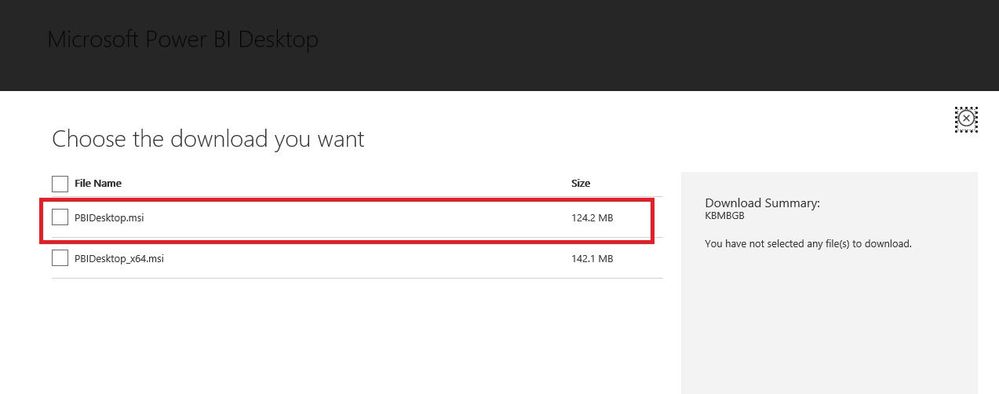
I have 32 bit version of office and I could not find 32 bit version of power bi anymore.
Anyone can help ??
thank you
Solved! Go to Solution.
@Anonymous,
You can download 32-bit Power BI Desktop from this link.
And make sure that you also download and install 32-bit Microsoft Access Database Engine 2010 Redistributable, then you should be able to connect to Access database from Power BI Desktop.
Regards,
Lydia
@Anonymous,
You can download 32-bit Power BI Desktop from this link.
And make sure that you also download and install 32-bit Microsoft Access Database Engine 2010 Redistributable, then you should be able to connect to Access database from Power BI Desktop.
Regards,
Lydia
Check out the November 2025 Power BI update to learn about new features.
Advance your Data & AI career with 50 days of live learning, contests, hands-on challenges, study groups & certifications and more!
| User | Count |
|---|---|
| 11 | |
| 7 | |
| 5 | |
| 5 | |
| 3 |