cancel
Showing results for 
Search instead for 
Did you mean: 

The Power BI Data Visualization World Championships is back! Get ahead of the game and start preparing now! Learn more

Reply
rob_mysbxsec
Helper II
Helper II

how to enable left join with mysql group_concat csv merged instances of right side column values


Any insights on how to address power bi power query matter outlined in this stackoverflow post?  


Note that i had to use stackoverflow because repeated attempts to post here kept messing with the text and code box formatting or erroring out complaining about html being embedded in text.

1 ACCEPTED SOLUTION
Smauro
Solution Sage
Solution Sage

Hi @rob_mysbxsec ,

Is this what you're looking for?

let
    Source = Table.NestedJoin(#"mysqldb support_request", {"id"}, #"mysqldb support_request_tag"[[#"support_request_id"], [#"tag_name"]], {"support_request_id"}, "tag_name_csv", JoinKind.LeftOuter),
    #"Transformed tags" = Table.TransformColumns(Source, {{"tag_name_csv", each Text.Combine(_[#"tag_name"], ", "), type text}})
in
    #"Transformed tags"


Spyros Mavroforos

Data Consultant


Find me on LinkedIn or drop me an email

eSpyros

View solution in original post

5 REPLIES 5
Smauro
Solution Sage
Solution Sage

Hi @rob_mysbxsec ,

Is this what you're looking for?

let
    Source = Table.NestedJoin(#"mysqldb support_request", {"id"}, #"mysqldb support_request_tag"[[#"support_request_id"], [#"tag_name"]], {"support_request_id"}, "tag_name_csv", JoinKind.LeftOuter),
    #"Transformed tags" = Table.TransformColumns(Source, {{"tag_name_csv", each Text.Combine(_[#"tag_name"], ", "), type text}})
in
    #"Transformed tags"


Spyros Mavroforos

Data Consultant


Find me on LinkedIn or drop me an email

eSpyros

@Smauro that worked.  Thank you very much.  Leaves me wondering what scenario Table.AggregateTableColumn( . . . ) function is for when Table.TransformColumns( . . . ) covers this case.

PhilipTreacy
Super User
Super User

Hi @rob_mysbxsec 

Without seeing your source data and an example of your expected result it's difficult to envusion what you are trying to do.

Phil


If I answered your question please mark my post as the solution.
If my answer helped solve your problem, give it a kudos by clicking on the Thumbs Up.


Did I answer your question? Then please mark my post as the solution.
If I helped you, click on the Thumbs Up to give Kudos.


Blog :: YouTube Channel :: Connect on Linkedin


Proud to be a Super User!


PhilipTreacy
Super User
Super User

Hi @rob_mysbxsec 

Can you supply the data tables/queries/PBIX file you are trying to merge and an example of the expected result.

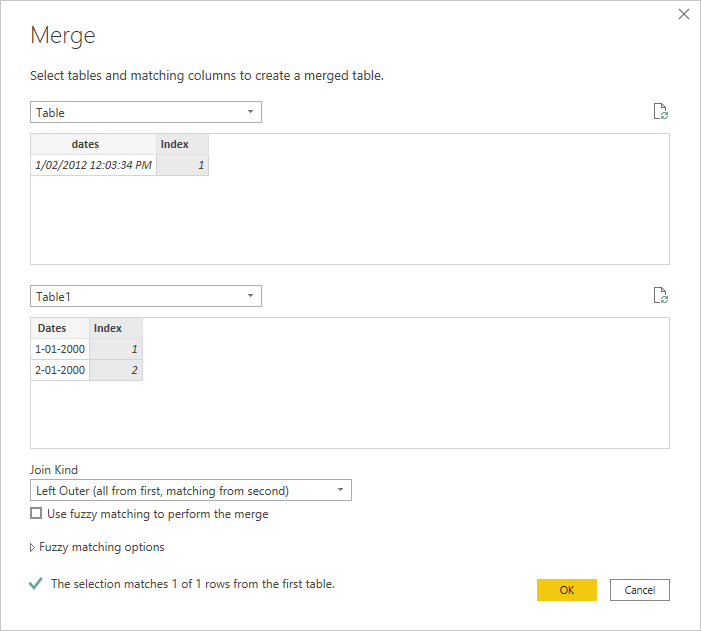
But the general approach to joining tables in PBI/PQ is, in the Query Editor, Home Tab, click on Merge Queries -> Merge Queries As New then select the left and right tables, the type of join and the matching/joining column

join.png

Regards

Phil


If I answered your question please mark my post as the solution.
If my answer helped solve your problem, give it a kudos by clicking on the Thumbs Up.


Did I answer your question? Then please mark my post as the solution.
If I helped you, click on the Thumbs Up to give Kudos.


Blog :: YouTube Channel :: Connect on Linkedin


Proud to be a Super User!


Thanks for response.  I'm not having any issues setting up left join merge query to new table output.  What i'm looking for is way to use #"Aggregate . . . " in lieu of #"Grouped Rows . . ." on column in right side of join to produce single row per left side where there is multiple right side matches and combining a specific column in the right side matches into a comma seperated value using Text.Combine(List.???, ", ") function.  This is detailed in the stackoverflow post referenced in the question overview.

Helpful resources

Announcements
November Power BI Update Carousel

Power BI Monthly Update - November 2025

Check out the November 2025 Power BI update to learn about new features.

Fabric Data Days Carousel

Fabric Data Days

Advance your Data & AI career with 50 days of live learning, contests, hands-on challenges, study groups & certifications and more!

FabCon Atlanta 2026 carousel

FabCon Atlanta 2026

Join us at FabCon Atlanta, March 16-20, for the ultimate Fabric, Power BI, AI and SQL community-led event. Save $200 with code FABCOMM.