cancel
Showing results for 
Search instead for 
Did you mean: 

The Power BI Data Visualization World Championships is back! Get ahead of the game and start preparing now! Learn more

Reply
Anonymous
Not applicable

conversion from string to number failed

I'm attempting to load data from Cosmos DB via an ODBC connection. When I reference columns from a certain collection in my query, I get error messages like this:


DataSource.Error: ERROR [HY000] [Microsoft][Support] (50090) Conversion from string to number failed with value: 'Population Council IRB'


Which is kind of crazy, because I definitely want that column to contain text data. When I look at the schema that's being used in the ODBC connection, it does indeed say that the data is VARCHAR(255).


I tried to do a CAST on that column to get the error message to go away, and I also made sure to uncheck  "Automatically detect column types and headeres for unstructured sources" in the Options menu. Neither of these resolved the problem. On some similar issues people have suggested making changes to the column properties in the Applied Steps, but because this is erroring out as soon as I try to initiate the query (i.e. my only Applied Step is "Source") I don't think this applies in my case.


Does anyone know how I might force Power BI to recognize this column as text and get the error message to go away?


Thanks! 

1 ACCEPTED SOLUTION
Anonymous
Not applicable

I did discover that my schema file was still showing numeric fields in the 32-bit schema editor even if it looked fine in 64-bit. Manually correcting those still didn't fix the error messages; however, when I switched out the schema for a different schema pointing to the same collection I stopped getting the error message. 

View solution in original post

3 REPLIES 3
Anonymous
Not applicable

I did discover that my schema file was still showing numeric fields in the 32-bit schema editor even if it looked fine in 64-bit. Manually correcting those still didn't fix the error messages; however, when I switched out the schema for a different schema pointing to the same collection I stopped getting the error message. 

Anonymous
Not applicable

@Anonymous,

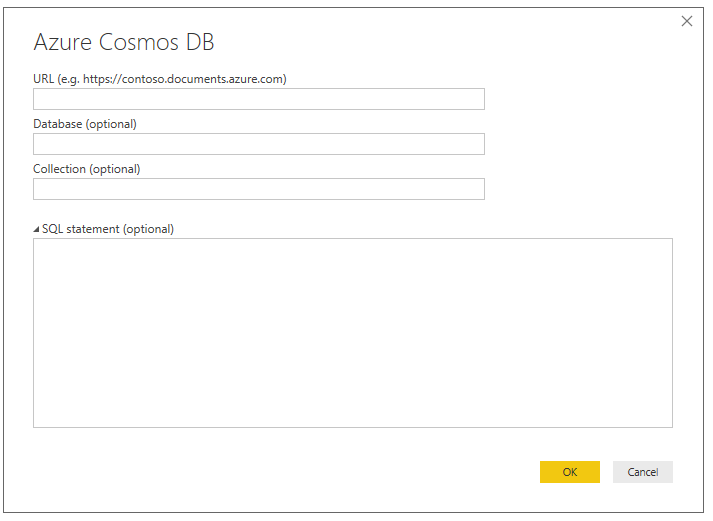
Do you connect to Azure Cosmos DB? If so, what is the result when you use Azure Cosmos DB connector in Power BI Desktop? And what is your Power BI Desktop version?

1.PNG

Regards,
Lydia

Anonymous
Not applicable

Hi Lydia,


I actually am also using the connector - I'm in the process of setting up the ODBC connection to replace the connector because we need a scheduled data refresh. That one returns no errors; the columns of interest are correctly identified as alphanumeric.


I am using 2.56.5023.1043 32-bit (March 2018), which corresponds to our PBI Report Server instance. 


Best,

Liane 

Helpful resources

Announcements
Power BI DataViz World Championships

Power BI Dataviz World Championships

The Power BI Data Visualization World Championships is back! Get ahead of the game and start preparing now!

December 2025 Power BI Update Carousel

Power BI Monthly Update - December 2025

Check out the December 2025 Power BI Holiday Recap!

FabCon Atlanta 2026 carousel

FabCon Atlanta 2026

Join us at FabCon Atlanta, March 16-20, for the ultimate Fabric, Power BI, AI and SQL community-led event. Save $200 with code FABCOMM.

Top Solution Authors