
Join us at FabCon Atlanta from March 16 - 20, 2026, for the ultimate Fabric, Power BI, AI and SQL community-led event. Save $200 with code FABCOMM.
Register now!The Power BI Data Visualization World Championships is back! It's time to submit your entry. Live now!
I am new to web scraping using Power BI. I have had some successes of using the software to extract data from easily built websites and iterated over multiple pages. I am struggling with sites that are heavily coded in java where the data isn't fully displayed in a table. I am trying to connect to a website below and this is the M code;
l
et
Source = Web.BrowserContents("https://www.kirkland.com/lawyers?level=9ff51805-f16d-4d64-9794-6cff75200182"),
#"Extracted Table From Html" = Html.Table(Source, {{"Persons Name", ".person-result__name"}, each [Attributes][href]?}, [RowSelector=".person-result__main > A"]),
#"Changed Type" = Table.TransformColumnTypes(#"Extracted Table From Html",{{"Persons Name", type text}})
in
#"Changed Type"
I am just trying to extract the person name for each of the occurences on the page. I get the error "We Cannot covert a value of type function to type list". Would you be able to offer any guidance to what I'm doing wrong on a website like this?
Thanks for getting back to me, much appreciated.
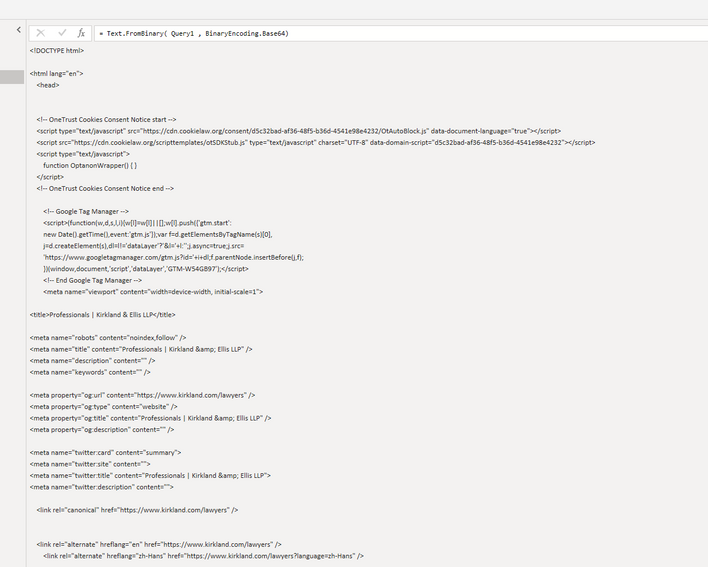
Sorry @Cmoore - I don't think Power Query can help in this situation. If you look at the result of the "Web.BrowserContents". Show that Javascript is disabled, so you get a big text string.
The most interesting part of this string is the value="PE1...." part. This can be read using:
Text.FromBinary(Web.Contents("https://www.kirkland.com/lawyers?letter=A") , BinaryEncoding.Base64),but it only returns the page structure not the lawyer data
It looks like you need to use an API to get the information.
| User | Count |
|---|---|
| 20 | |
| 10 | |
| 8 | |
| 8 | |
| 7 |