cancel
Showing results for 
Search instead for 
Did you mean: 

View all the Fabric Data Days sessions on demand. View schedule

Reply
lardo5150
Microsoft Employee
Microsoft Employee

Unable to switch number to month name

I am creating a DataFlow in Power Apps.

My Query is pulling from two SPO lists

I have been able to add a column based on the date in another.  This new column is called MonthNumber.

I am trying to convert the month number into MONTH.

I have tried the following:

SWITCH (
    [MonthNumber],
    1"Jan",
    2"Feb",
    3"Mar",
    4"Apr",
    5"May",
    6"Jun",
    7"Jul",
    8"Aug",
    9"Sep",
    10"Oct",
    11"Nov",
    12"Dec",
    BLANK ()
)
 
and..
 
Format([MonthNumber],”MMM”)
 
I keep running into the same error:
 
Expression.Error: The import SWITCH matches no exports. Did you miss a module reference?
or
Expression.Error: The import FORMAT matches no exports. Did you miss a module reference?
 
Any idea how to get past this?
1 ACCEPTED SOLUTION
AlexisOlson
Super User
Super User

It looks like you are trying to use DAX functions in Power Query, which uses the M language.


Generally, it's easier to get the month string from a date field but you can make the number into a date first:

Date.ToText(#date(2000, [MonthNumber], 1), "MMM")

(The choices of year and day in the #date are arbitrarily chosen.)

View solution in original post

3 REPLIES 3
Syndicate_Admin
Administrator
Administrator

Thank you that is it!  


How do I mark your post as the solution?

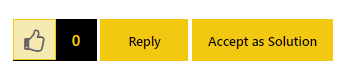
There should be an Accept as Solution button next to the Kudos (thumbs up) and Reply button.

AlexisOlson_0-1640188946485.png

If you don't see these options, I can also accept the solution on your behalf.


AlexisOlson
Super User
Super User

It looks like you are trying to use DAX functions in Power Query, which uses the M language.


Generally, it's easier to get the month string from a date field but you can make the number into a date first:

Date.ToText(#date(2000, [MonthNumber], 1), "MMM")

(The choices of year and day in the #date are arbitrarily chosen.)

Helpful resources

Announcements
November Power BI Update Carousel

Power BI Monthly Update - November 2025

Check out the November 2025 Power BI update to learn about new features.

Fabric Data Days Carousel

Fabric Data Days

Advance your Data & AI career with 50 days of live learning, contests, hands-on challenges, study groups & certifications and more!

FabCon Atlanta 2026 carousel

FabCon Atlanta 2026

Join us at FabCon Atlanta, March 16-20, for the ultimate Fabric, Power BI, AI and SQL community-led event. Save $200 with code FABCOMM.