Join us at FabCon Atlanta from March 16 - 20, 2026, for the ultimate Fabric, Power BI, AI and SQL community-led event. Save $200 with code FABCOMM.
Register now!Get Fabric certified for FREE! Don't miss your chance! Learn more
Hi everyone,
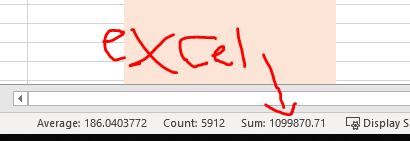
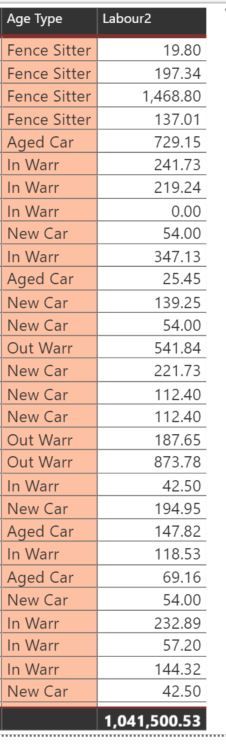
I have this formula going on but i have a problem because comparing to the excel total sum to Power BI total sum there is a difference in both numbers. Not sure if the formula needs to edit it or ... Sorry about it. I need someone who can help me with this 😞 Would appreciate it so much!
Here's my link in excel sample : (You may take a look at "Data2019" tab and under "Labour" column for the formula that i want to achieve in power bi)
https://drive.google.com/file/d/14jDDZY5cIb2vgsHyidPKbzy5P_LoLnuE/view?usp=sharing
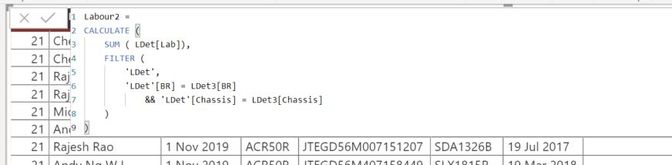
and here's my formula in Power BI: (Do let me know if the .pbix is needed)
Thank you again.
Hi @Anonymous
Would this be because you summarise [Lab] in PBI and (from what I can see) [Total Lab] in Excel?
The columns are different...
Kind regards,
JB
Share feedback directly with Fabric product managers, participate in targeted research studies and influence the Fabric roadmap.
Check out the January 2026 Power BI update to learn about new features.
| User | Count |
|---|---|
| 12 | |
| 11 | |
| 10 | |
| 6 | |
| 5 |