cancel
Showing results for 
Search instead for 
Did you mean: 

The Power BI Data Visualization World Championships is back! Get ahead of the game and start preparing now! Learn more

Reply
nicktayl
Helper I
Helper I

Sharing Data Source and Integrate with Local Files

Hi,


I figured out how to set up a shared data source. The problem is that when a user connects to the data source, they cannot add another connection. If the team is expected to perform adhoc analysis, they need to be able to link our main data source to an array of other sources. Is this possible? Currently it doesn't seem possible.


Thanks,
Nick

5 REPLIES 5
nicktayl
Helper I
Helper I

Thank you @v-qiuyu-msft and @Seth_C_Bauer


I'm receiving the following error message when trying to import my Excel dataset (which is an exported Access query). Also, does the method you prescribe require me to email my team members a new template each day I rerun my Access query export? Would it be better for me to publish my data source some other way?


Basically my setup is as follows:


1. Accounting data is stored in an Excel file that is updated and distributed daily (Outlook VBA copies that writes that file to a specific location on the company shared drive)

2. Additional attributes are stored in a QuickBase database

3. Access database creates linked connections to the Excel file and the QuickBase database and appends a master KPI input file

     a. A query is built on top of that table which calculates metrics

     b. A macro runs the query daily and exports to a location on the shared drive for Tableau to refresh data source


My goal is to replace Tableau with Power BI. Also, I want to democratize the creation of dashboards, allowing team members to access a single source and then also allow scheduled or manual exports of the data from Access to replace that data source daily without conflict. I also want those users to have the ability to establish their own permissions for the dashboards they publish for our end business users. I know that the eventual goal is to move to an OLAP architecture, but that is not in the near future. Not sure if the Excel import method is the best method because of this error and the possibility of Access having issues writing over the old export while it is being accessed by Power BI. Any thoughts?
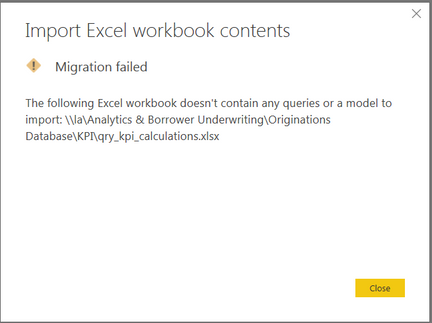
 

Capture.PNG


nicktayl
Helper I
Helper I

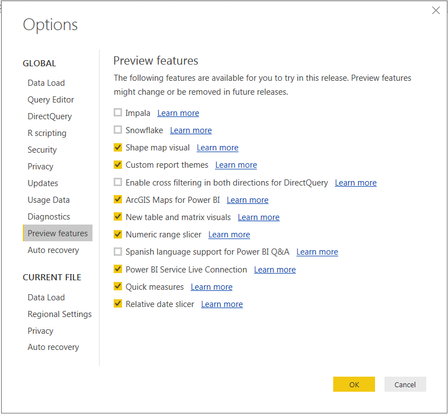
@Seth_C_Bauer I checked off "Power BI Service Live Connection", restarted the program, and then published to a shared workspace. 

Capture.PNG


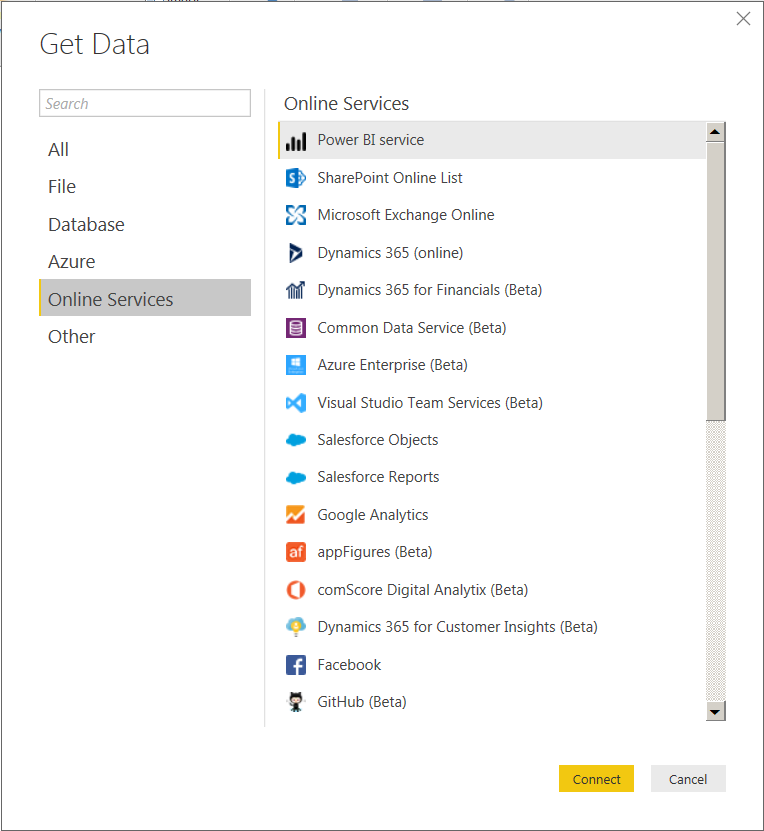
Next the user navigates to "Get Data" and connects to "Power BI service". 


Capture.PNG


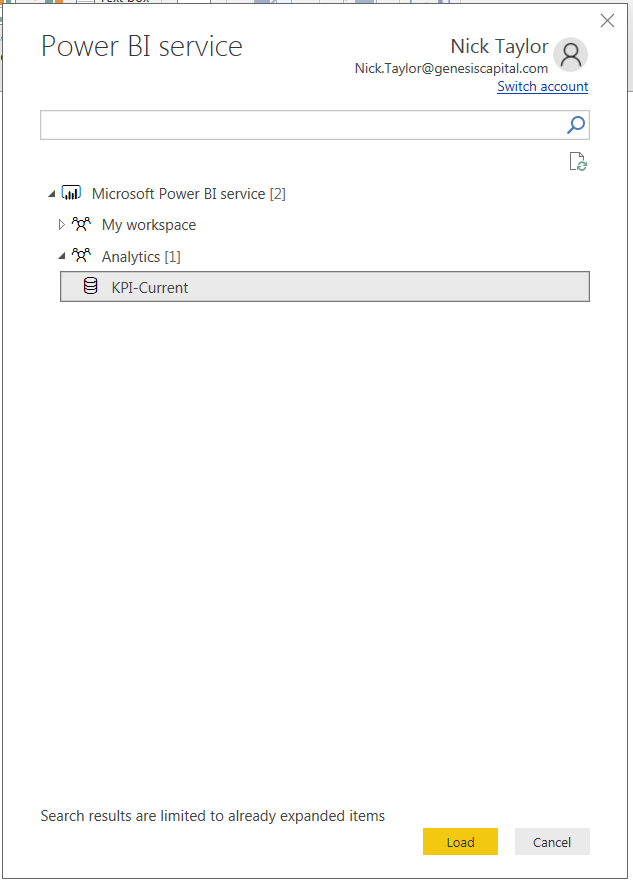
Next, the user selects the data source.

Capture.PNG


...and the connection is made, however I cannot connect to additional data sources becasue "Get Data" is greyed out. Why?

Capture.PNG

Hi @nicktayl,


It's a limitation of Power BI service data source, see: Connect to datasets in the Power BI service from Power BI Desktop (Preview). Please try the Power BI template feature suggested by @Seth_C_Bauer.


Best Regards,
Qiuyun Yu

Community Support Team _ Qiuyun Yu
If this post helps, then please consider Accept it as the solution to help the other members find it more quickly.

@nicktayl Got it, I'm aware of this path. The reason is because you are technically creating a "live connection" to the Tabular model in the Service. Just as if you did that to your own SSAS instance, you can't add additional connections from the file.

The Template approach is the only one I am aware of that would allow you to do what you describe.


Looking for more Power BI tips, tricks & tools? Check out PowerBI.tips the site I co-own with Mike Carlo. Also, if you are near SE WI? Join our PUG Milwaukee Brew City PUG
Seth_C_Bauer
Community Champion
Community Champion

@nicktayl I'd love to hear how you accomplished the shared dataset (unless this is via a content pack).

You could build a Power BI Template that links to the datasource, then as long as the connection is "import" connection type, they could add additional datasources. This method would at least ensure that everyone is starting from the same set of data.


Looking for more Power BI tips, tricks & tools? Check out PowerBI.tips the site I co-own with Mike Carlo. Also, if you are near SE WI? Join our PUG Milwaukee Brew City PUG

Helpful resources

Announcements
Power BI DataViz World Championships

Power BI Dataviz World Championships

The Power BI Data Visualization World Championships is back! Get ahead of the game and start preparing now!

December 2025 Power BI Update Carousel

Power BI Monthly Update - December 2025

Check out the December 2025 Power BI Holiday Recap!

FabCon Atlanta 2026 carousel

FabCon Atlanta 2026

Join us at FabCon Atlanta, March 16-20, for the ultimate Fabric, Power BI, AI and SQL community-led event. Save $200 with code FABCOMM.