cancel
Showing results for 
Search instead for 
Did you mean: 

The Power BI Data Visualization World Championships is back! It's time to submit your entry. Live now!

Reply
Anonymous
Not applicable

Scheduled Refresh Error

Hello,


I am having my Report Connected to SSAS and refresh very well in the Desktop but not through the Schedule Refresh,


this is the error,

PowerBI Error 1.JPG

 Any Help?


KR,

Nasr


3 REPLIES 3
Anonymous
Not applicable

@Anonymous,

Could you please click "Show" to display detailed error message? What version of Power BI gateway do you use?

Also please share gateway log here, you can export gateway log following the guide in this article.

Regards,
Lydia

Anonymous
Not applicable

Hello Lydia,


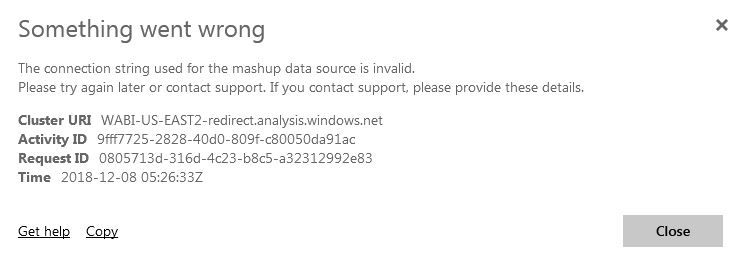
I am Sorry but i am not admin so i am not able to Extract the Log but please Find the More Details box attached.


Also for the Gateway, i am using the on premisis not the personal one.


FYI, this is a SSAS Connection.Error 2.JPG

Anonymous
Not applicable

@Anonymous,

Could you please remove the SSAS data source from gateway and check if you are able to add it again?

Regards,
Lydia

Helpful resources

Announcements
Power BI DataViz World Championships

Power BI Dataviz World Championships

The Power BI Data Visualization World Championships is back! It's time to submit your entry.

January Power BI Update Carousel

Power BI Monthly Update - January 2026

Check out the January 2026 Power BI update to learn about new features.

FabCon Atlanta 2026 carousel

FabCon Atlanta 2026

Join us at FabCon Atlanta, March 16-20, for the ultimate Fabric, Power BI, AI and SQL community-led event. Save $200 with code FABCOMM.