Join us at FabCon Atlanta from March 16 - 20, 2026, for the ultimate Fabric, Power BI, AI and SQL community-led event. Save $200 with code FABCOMM.
Register now!The Power BI Data Visualization World Championships is back! Get ahead of the game and start preparing now! Learn more
Dear members,
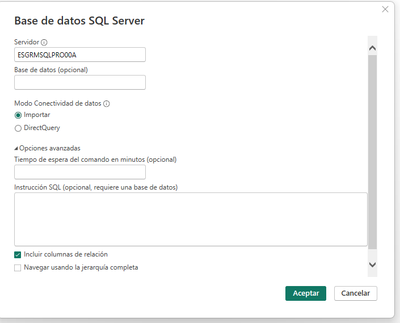
I have a following problem:
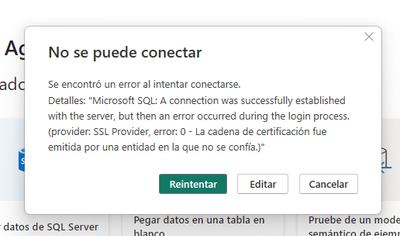
I want to connect a SQL server and it appears the following error message.
could you please kindly help to solve this problem?
Best regards
Solved! Go to Solution.
Hi,
The problem was solved on the edit permision of data sources configuration in power query.
Best regards
Hi,
The problem was solved on the edit permision of data sources configuration in power query.
Best regards
Hi @ChiRomeu ,
The error means "The certificate chain was issued by an authority that is not trusted".
Ensure that the SSL certificate is properly installed on the SQL Server. Ensure that the entire certificate chain is available on the server, including the intermediate and root certificates. If the certificate is issued by a private or internal CA, it may be necessary to import the CA's root certificate into the Trusted Root Certificate Authority store on the client.
As a temporary workaround for development purposes, it is possible to bypass SSL certificate validation. However, this is not secure and should not be used in a production environment.
If the certificate is self-signed or from an untrusted CA, and you cannot trust the CA on the client, consider replacing the certificate with one from a widely trusted CA.
I thought this document might be helpful:
Error message when you connect to SQL Server - SQL Server | Microsoft Learn
Best Regards,
Dino Tao
If this post helps, then please consider Accept it as the solution to help the other members find it more quickly.
Hi,
how can i check it please?
Best regards
The Power BI Data Visualization World Championships is back! Get ahead of the game and start preparing now!
| User | Count |
|---|---|
| 19 | |
| 10 | |
| 9 | |
| 8 | |
| 7 |