This time we’re going bigger than ever. Fabric, Power BI, SQL, AI and more. We're covering it all. You won't want to miss it.
Learn moreDid you hear? There's a new SQL AI Developer certification (DP-800). Start preparing now and be one of the first to get certified. Register now
Hi,
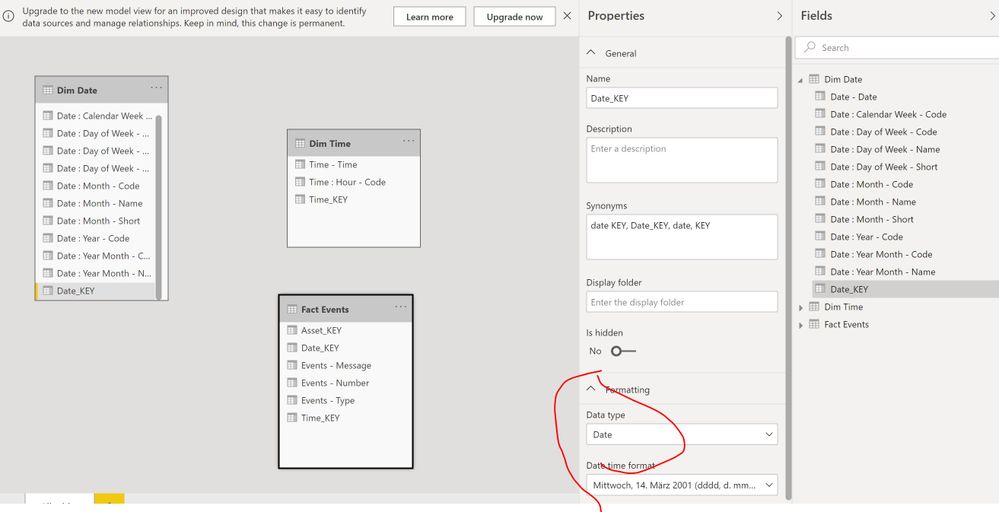
I have custom data connector...Have two dim tables for date and time....and want make relationship with them, from other Fact table....When type of colums for DateKey and TimeKey is Text, in Power BI it autodetected and created, when data loaded....but when I change it to type Date or Date/Time, relationship is disappearing and not detected in Power BI. Do you have any idea, why it happens?
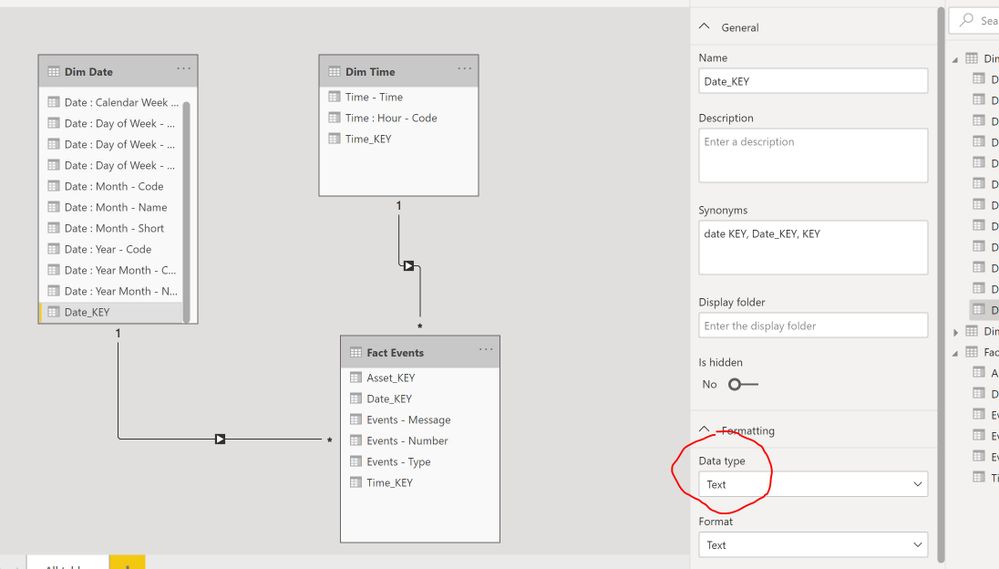
Event table:
AddDate = Table.AddColumn(Expand, "eventTimestampDate", each DateTime.FromText([eventTimeStamp])),
TransformDate = Table.TransformColumnTypes(AddDate, {{"eventTimestampDate", type date}}),
AddDateKey = Table.AddColumn(TransformDate , "Date_KEY", each [eventTimestampDate]),
Date table:
Lookbackdurationdays = Duration.TotalDays(CurrentDate - Duration),
DateList = List.Dates(Duration, Lookbackdurationdays + 1, #duration(1,0,0,0)),
DateTable = Table.FromList(DateList, Splitter.SplitByNothing(), null, null, ExtraValues.Error),
ChangedType = Table.TransformColumnTypes(DateTable,{{"Column1", type date}}),
Renamed = Table.RenameColumns(ChangedType,{{"Column1", "Date"}}),
AddDateKey = Table.AddColumn(Renamed, "Date_KEY", each [Date]),
AddDate = Table.AddColumn(AddDateKey, "Date - Date", each [Date]),
Hi @Anonymous ,
According to my test, Power BI Desktop cannot automatically detect the relationships between date or time columns.
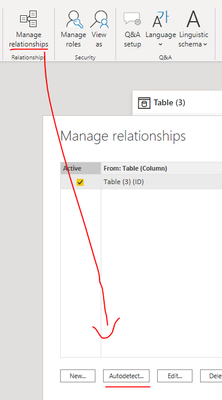
Try to click the "Autodetect" button. If the table relationships can not be detected, you need to manually add the relationships.
Best regards,
Lionel Chen
If this post helps, then please consider Accept it as the solution to help the other members find it more quickly.
Hello @Anonymous
you should be able to connect tables with columns that are in date-format. Ensure that both columns are setup as date-type and then connect them manually.
If this post helps or solves your problem, please mark it as solution (to help other users find useful content and to acknowledge the work of users that helped you)
Kudoes are nice too
Have fun
Jimmy
I dont want do it manually, I want Power BI auto detect them , because they already comming from connector with correct types
then try to pray 😉
Go to "Transform Data" section and before clicking on "Close and Apply" make sure that DateKey has Date format in both tables (not Date/Time) and that TimeKey has Time format on both of them (again, not Date/Time). Then your relationship should be correctly detected but if not, try to drag and drop the related columns of Fact and Dimensional tables.
If a column has Date format but the related one has Date/Time format your relationship woudn't be correctly detected.
Hope it helps!
Basically from custom connector code I already have Date and Time, and I dont need transform data...but it not helping....no autodetection appears.
Check out the April 2026 Power BI update to learn about new features.
Sign up to receive a private message when registration opens and key events begin.
If you have recently started exploring Fabric, we'd love to hear how it's going. Your feedback can help with product improvements.
| User | Count |
|---|---|
| 7 | |
| 5 | |
| 4 | |
| 3 | |
| 3 |