Join us at FabCon Atlanta from March 16 - 20, 2026, for the ultimate Fabric, Power BI, AI and SQL community-led event. Save $200 with code FABCOMM.
Register now!The Power BI Data Visualization World Championships is back! Get ahead of the game and start preparing now! Learn more
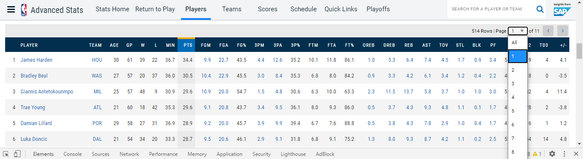
I'm trying to get the data for the 2019-20 season players. I'm using the CSS selector, but I have a problem with the table that the BI power identifies, I can't get the data beyond the player 50 in the ranking.
Is there a way to select all the data in the table? Even if you change the selection in the selection box (As shown in the figure), the url does not change.
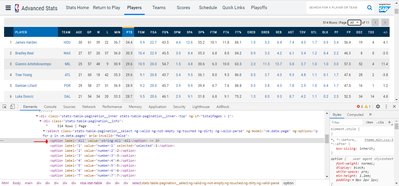
When inspecting the html code, I noticed that in the highlighted section of the figure below, the code change occurs when we select a different value in the checkbox.
Link to website: https://stats.nba.com/players/traditional/?sort=PTS&dir=-1
Could someone help me with this problem?
Hi @Anonymous
You could try Python script and Api.
https://pypi.org/project/sportsreference/
https://www.danielforsyth.me/exploring_nba_data_in_python/
Best Regards
Maggie
The Power BI Data Visualization World Championships is back! Get ahead of the game and start preparing now!
| User | Count |
|---|---|
| 19 | |
| 9 | |
| 8 | |
| 7 | |
| 7 |