Join us at FabCon Atlanta from March 16 - 20, 2026, for the ultimate Fabric, Power BI, AI and SQL community-led event. Save $200 with code FABCOMM.
Register now!The Power BI Data Visualization World Championships is back! Get ahead of the game and start preparing now! Learn more
I would like to create the loop and concatenate the list records in power query function but I'm getting error.
M-Code
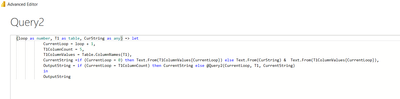
(loop as number, T1 as table, CurString as any) => let
CurrentLoop = loop + 1,
T1ColumnCount = 5,
T1ColumnValues = Table.ColumnNames(T1),
CurrentString =if (CurrentLoop = 0) then Text.From(T1ColumnValues{CurrentLoop}) else Text.From(CurString) & Text.From(T1ColumnValues{CurrentLoop}),
OutputString = if (CurrentLoop = T1ColumnCount) then CurrentString else @Query2(CurrentLoop, T1, CurrentString)
in
OutputString
Error:
Expression.Error: There weren't enough elements in the enumeration to complete the operation.
Details:
[List]
Many thanks in advance
I suspect this is due to the fact that counting in power query starts at zero. when you get to loop = 5, you are actually pulling the name of the 6th column, which doesn't exist.
Pat
To learn more about Power BI, follow me on Twitter or subscribe on YouTube.
Bingo! It's working great. But when I make it dynamic like "T1ColumnCount =Table.ColumnCount(T1)" it's showing the below error
Expression.Error: There weren't enough elements in the enumeration to complete the operation.
Details:
[List]
@msksenthil
What is @Query2 in this context?
Can you share the complete file after removing confidential data?
⭕ Subscribe and learn Power BI from these videos
⚪ Website ⚪ LinkedIn ⚪ PBI User Group
The Power BI Data Visualization World Championships is back! Get ahead of the game and start preparing now!
Check out the November 2025 Power BI update to learn about new features.