Join us at FabCon Atlanta from March 16 - 20, 2026, for the ultimate Fabric, Power BI, AI and SQL community-led event. Save $200 with code FABCOMM.
Register now!The Power BI Data Visualization World Championships is back! Get ahead of the game and start preparing now! Learn more
When I log into the online PowerBI web app, I can connect fine to Quickbooks Online data. However, when I try to use the Power BI Desktop, I get a Javascript error at the point that I try to login.
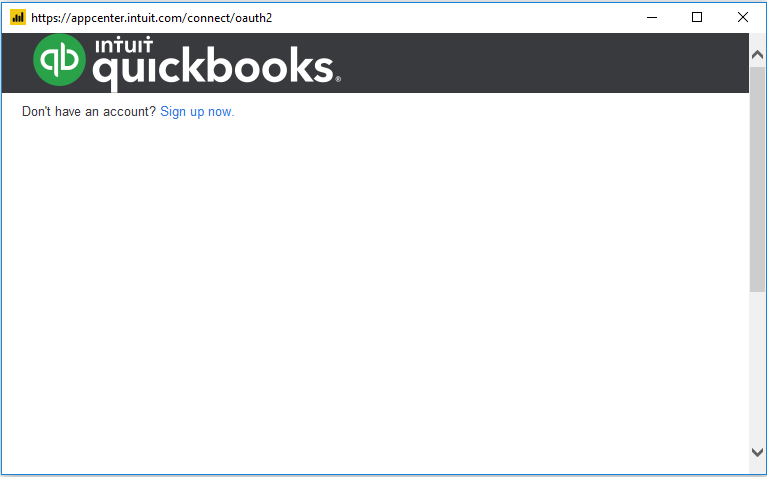
I'm sure this has something to do with my Explorer settings, but have tried multiple fixes and this same error pops up every time. If I click Yes or No, the window to login shows the framing for Quickbooks, but no place to enter credentials.
Hi @Anonymous
Did you download the lastest desktop version from Windows Store or from here?
If you download it from Windows Store, please download it directly from here.
Here is a similar thread.
Best Regards
Maggie
Community Support Team _ Maggie Li
If this post helps, then please consider Accept it as the solution to help the other members find it more quickly.
Success! I finally got this to work! This is a very odd situation, would be nice for someone at MS to figure out what's different between the version on the Power BI site and the Windows Store!
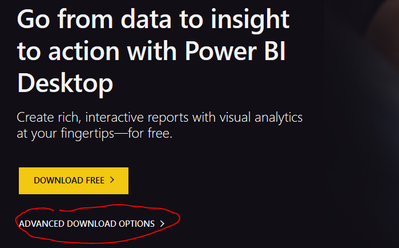
First, you have to specifically click on the Advanced Download Options on the Power BI site.
That brings you to this site where you have to select the product and download it
https://www.microsoft.com/en-us/download/details.aspx?id=45331
Thank you for pointing me to that other thread. After reading the posts from the number of other users that have been experiencing this same error for over a year, I finally found something that worked!
Hi and thank you for your response! The version I downloaded was from Office.com. However, I uninstalled and re-installed but the same issue is occurring.
The version number in the link you gave is the same from Office.com which appears to be the latest: Version: 2.69.5467.1751 64-bit (May 2019).
In in the title of the link you sent, there is a different May 2019 version which is Version: 2.69.5467.1251.
I'm wondering if this is a 32/64 bit issue or if I can find a rolled back version to the one mentioned above and try that.
Thoughts?
The Power BI Data Visualization World Championships is back! Get ahead of the game and start preparing now!
| User | Count |
|---|---|
| 19 | |
| 9 | |
| 8 | |
| 7 | |
| 6 |