
cancel
Showing results for 
Search instead for 
Did you mean: 

The Power BI Data Visualization World Championships is back! Get ahead of the game and start preparing now! Learn more

Reply
hstance
Helper II
Helper II

Is there more to the Intellisense preview of documentation in advanced editor?

Whenever I select a function from my script in advanced editor in desktop, the intellisense previews the information from #shared in a grey box with two(!) ellipses. It suggests to me there is a further action I could do to display the full text. Is this possible? Like a shortcut of SHIFT + ??? to quickly view the documentation with out using #shared in a blank query? If I move my cursor towards the ellipses the box vanishes. 🙄


Pictured for your reference.

hstance_0-1655472027911.png


1 ACCEPTED SOLUTION
lbendlin
Super User
Super User

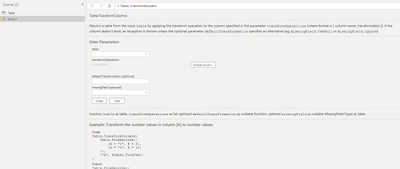
You can quickly call up the documentation by listing the function without parameters

let
    Source = Table.TransformColumns
in
    Source


lbendlin_0-1655603483769.png


View solution in original post

4 REPLIES 4
Anonymous
Not applicable

Hi @hstance ,


Yes, you put the cursor on it and it will only show a short explanation.

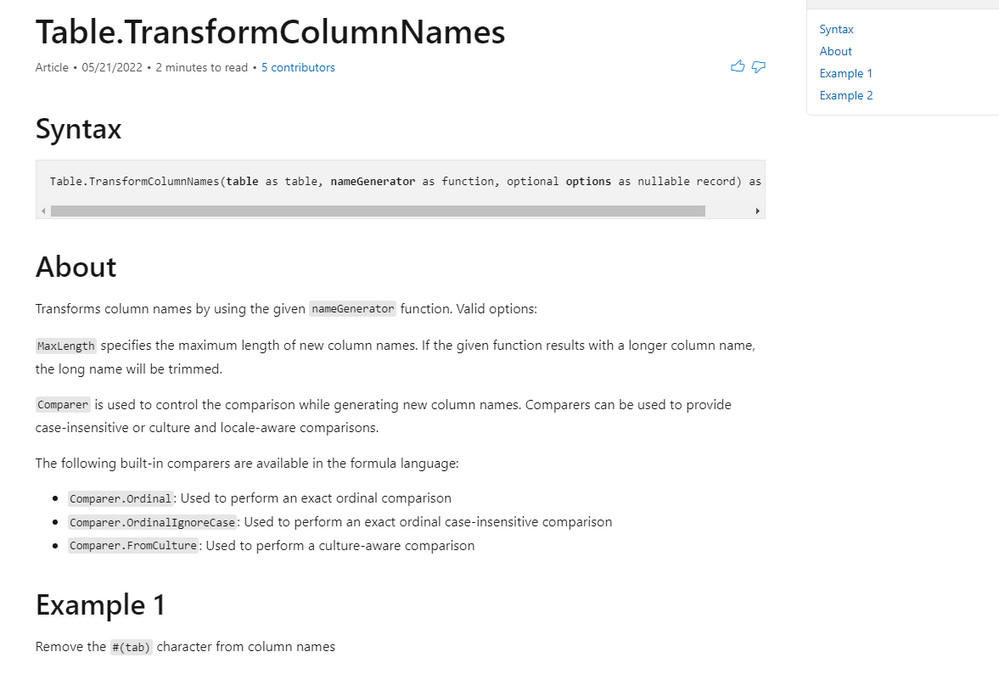
However, you can check the detailed explanations and examples through the following document:

Power Query M function reference - PowerQuery M | Microsoft Docs


You can enter the function you want from the navigation bar on the left, and then click to view.

vstephenmsft_2-1655793418871.png

vstephenmsft_1-1655793358891.png


Best Regards,

Stephen Tao


If this post helps, then please consider Accept it as the solution to help the other members find it more quickly.

Thanks Stephen, but fully aware. Also if you click on the ? icon in the corner it opens the documenation.

My question is limited to the preview with ellipses.

lbendlin
Super User
Super User

You can quickly call up the documentation by listing the function without parameters

let
    Source = Table.TransformColumns
in
    Source


lbendlin_0-1655603483769.png


This is more helpful to me than the #shared. Thanks for noting it.


Helpful resources

Announcements
Power BI DataViz World Championships

Power BI Dataviz World Championships

The Power BI Data Visualization World Championships is back! Get ahead of the game and start preparing now!

December 2025 Power BI Update Carousel

Power BI Monthly Update - December 2025

Check out the December 2025 Power BI Holiday Recap!

FabCon Atlanta 2026 carousel

FabCon Atlanta 2026

Join us at FabCon Atlanta, March 16-20, for the ultimate Fabric, Power BI, AI and SQL community-led event. Save $200 with code FABCOMM.