cancel
Showing results for 
Search instead for 
Did you mean: 

The Power BI Data Visualization World Championships is back! Get ahead of the game and start preparing now! Learn more

Reply
Mubar
Advocate I
Advocate I

How to Split Multiple columns without repeating same steps?

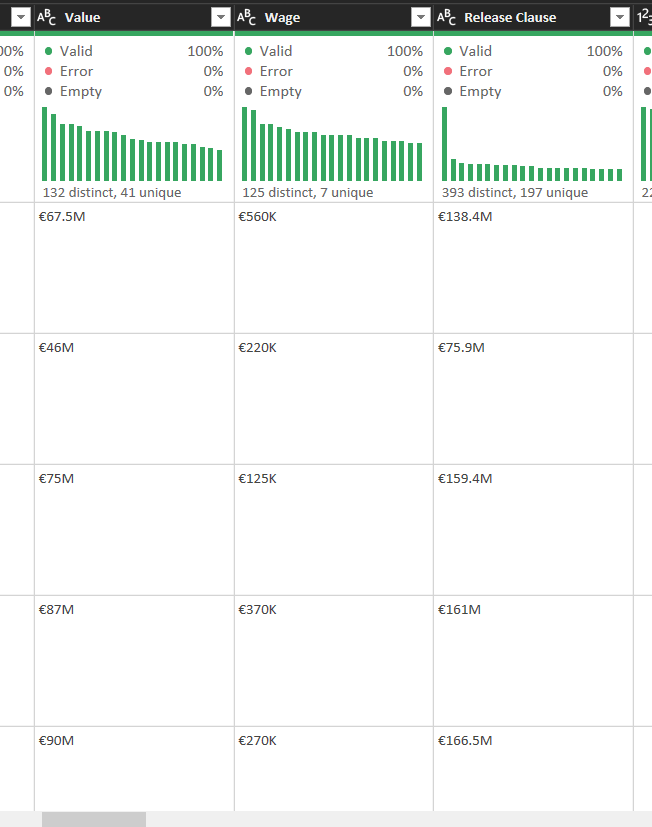
I have 3 columns in my Power Query that contains some values of text & numbers. I wanted to split it by number of character to extract the text from numbers. I have done this one after the other, i want to know if there is an easy step I can apply to the column at once using M query.

Thanks


split column.png


2 REPLIES 2
jgordon11
Resolver II
Resolver II

Use List.Accumulate


let
    Source = Table.FromRows(Json.Document(Binary.Decompress(Binary.FromText(
        "NY/LDQQhDEN74Yws8iNQxFYwmv7b2AkJJ4uYPDvP0xbG/rXeNiTEwd/z7U8j6IoJQyl0QTydDa+
        /e4YODE5nQGNAZ9CbYOmFiWQKacJuDEM4ITqrR8EEttPxo5XuhdBa+FDzLuzT1OCW8ca38fIsRpTN
        44J07BSbsKJ60N4/", BinaryEncoding.Base64), Compression.Deflate)),
        type table [Value, Wage, #"Release Clause"]),
    tbl = List.Accumulate({"Value", "Wage","Release Clause"}, Source, (s,c)=> 
        Table.SplitColumn(s, c, Splitter.SplitTextByCharacterTransition({"0".."9","."}, (x) => 
            not List.Contains({"0".."9", "."}, x)), {c, c & ".1"}))
in   
    tbl

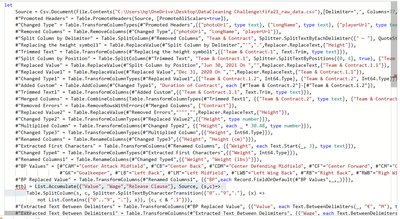
Here is my advanced editor, How can I use it?

Mubar_0-1679200441256.png

It's showing "Token Identifier Expected"

Helpful resources

Announcements
November Power BI Update Carousel

Power BI Monthly Update - November 2025

Check out the November 2025 Power BI update to learn about new features.

Fabric Data Days Carousel

Fabric Data Days

Advance your Data & AI career with 50 days of live learning, contests, hands-on challenges, study groups & certifications and more!

FabCon Atlanta 2026 carousel

FabCon Atlanta 2026

Join us at FabCon Atlanta, March 16-20, for the ultimate Fabric, Power BI, AI and SQL community-led event. Save $200 with code FABCOMM.