cancel
Showing results for 
Search instead for 
Did you mean: 

The Power BI Data Visualization World Championships is back! Get ahead of the game and start preparing now! Learn more

Reply
Anonymous
Not applicable

Get max value for different column.

Dear Power Bi Community,


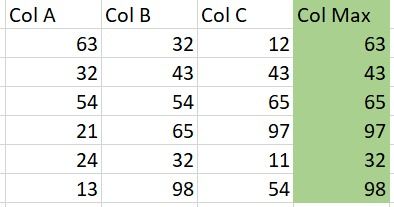
Could you please help me to to get max value for Col Max like this in power bi? I have tried several time but the max value I got is 98 for each rows, which is wrong.


IMG-20220228-WA0002.jpg

Thank you for your assistance guys.

1 ACCEPTED SOLUTION

Hey @Anonymous 


The first solution works only if you want to select max of all columns.


If you want to choose columns try this.


=List.Max(Record.ToList(Record.SelectFields(_,{"Col A","Col B","Col C"}))))


I will wait to see how this works. Accept it as a solution if this works as expected.


Thanks

View solution in original post

5 REPLIES 5
Anonymous
Not applicable

Hi @Anonymous ,


You could use unpivot and pivot feature.

Here's my solution.

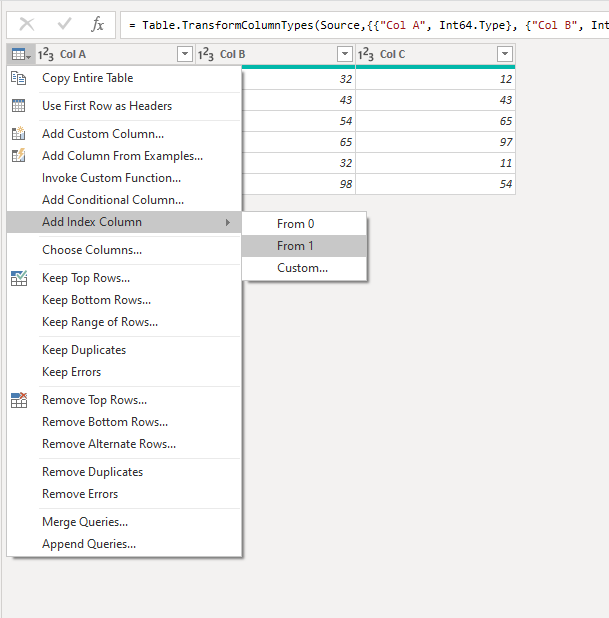
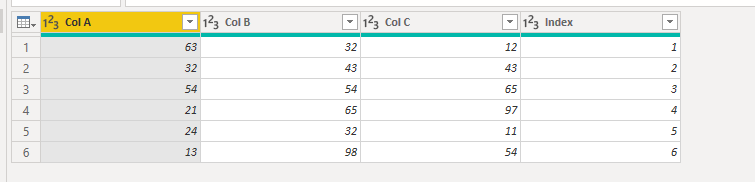
1.Add an index column

vstephenmsft_0-1646384183603.png

vstephenmsft_1-1646384195631.png


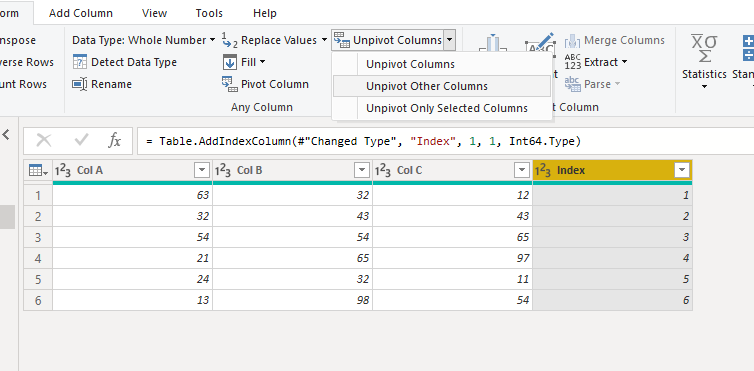
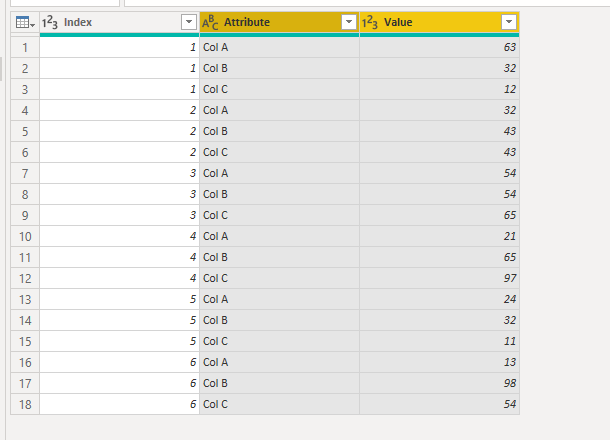
2.Check Index Columns and choose unpivot other columns.

vstephenmsft_3-1646384261322.png

vstephenmsft_4-1646384293207.png


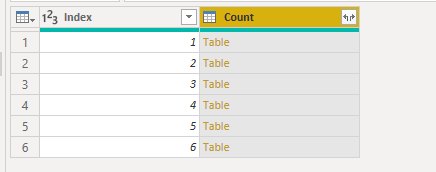
3.Select the index column and then group, the operation selects all rows.

vstephenmsft_5-1646384320220.png

vstephenmsft_6-1646384370437.png


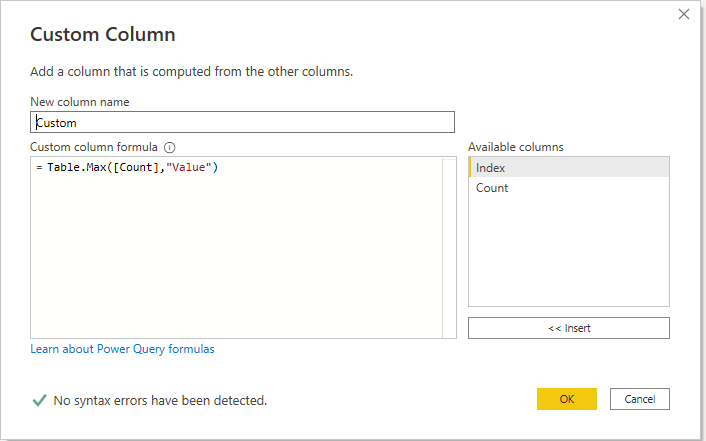
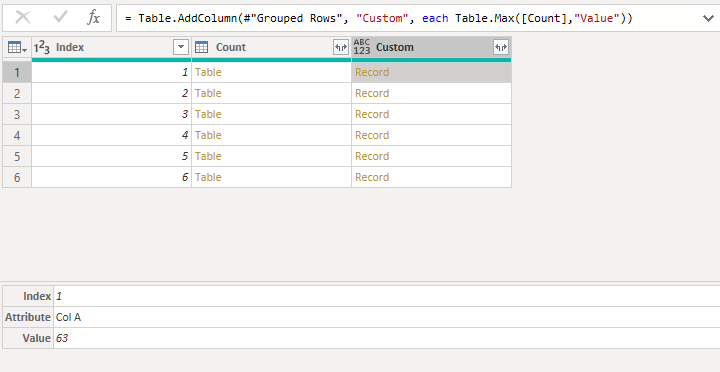
4.Add a custom column to get the max value.

vstephenmsft_7-1646384385825.png

vstephenmsft_8-1646384414940.png


5.The next step is to expand the columns you need.

vstephenmsft_9-1646384463724.png


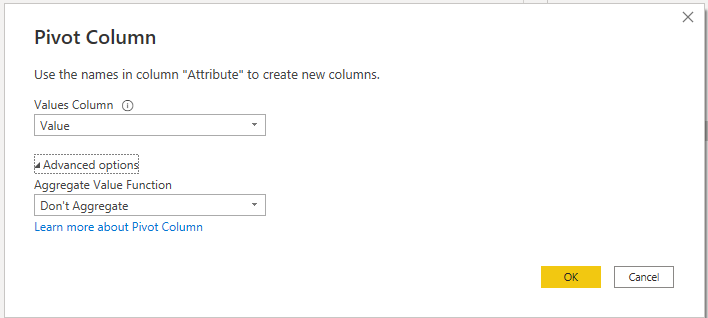
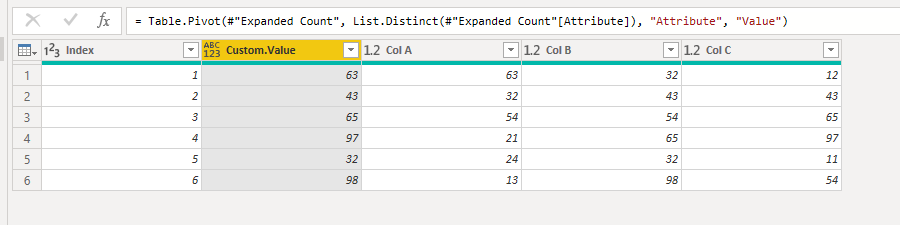
6.Select the Attribute column and pivot. Values Column selects the Value column. Selcet Don't Aggregate in the Aggregate Value Function.

vstephenmsft_10-1646384497862.png

vstephenmsft_11-1646384640756.png


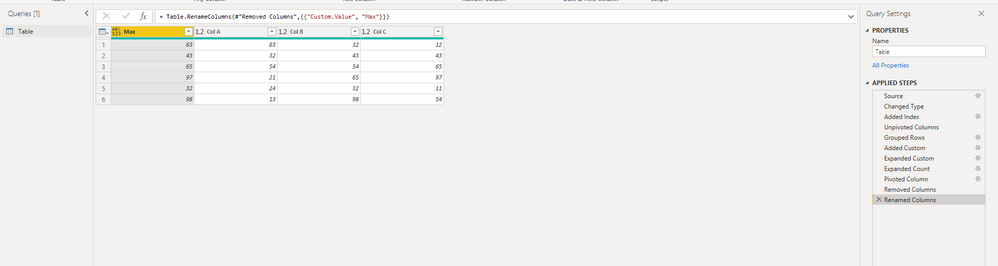
Results:

vstephenmsft_12-1646384747471.png


You can check more details from my attachment.


Best Regards,

Stephen Tao


If this post helps, then please consider Accept it as the solution to help the other members find it more quickly.


Thingsclump
Resolver V
Resolver V

Hi @Anonymous 


For the table you have shown , you can add a custom column as below


=List.Max(Record.ToList(_))


Thanks

Anonymous
Not applicable

= Table.AddColumn(#"Replaced Value8", "Custom", each List.Max(Record.ToList([Col A],[Col B],[Col C])))


i have tried already, It didnt works 😅

Anonymous
Not applicable

Hey there. @Thingsclump solution does work. Don't replace anything; the  (_) means "the current record, i.e "this row's values. Don't replace that with column names, since you are searching the whole row.


--Nate

Hey @Anonymous 


The first solution works only if you want to select max of all columns.


If you want to choose columns try this.


=List.Max(Record.ToList(Record.SelectFields(_,{"Col A","Col B","Col C"}))))


I will wait to see how this works. Accept it as a solution if this works as expected.


Thanks

Helpful resources

Announcements
Power BI DataViz World Championships

Power BI Dataviz World Championships

The Power BI Data Visualization World Championships is back! Get ahead of the game and start preparing now!

December 2025 Power BI Update Carousel

Power BI Monthly Update - December 2025

Check out the December 2025 Power BI Holiday Recap!

FabCon Atlanta 2026 carousel

FabCon Atlanta 2026

Join us at FabCon Atlanta, March 16-20, for the ultimate Fabric, Power BI, AI and SQL community-led event. Save $200 with code FABCOMM.

Top Solution Authors