Hello Experts, I have a event schedule as below
| From | To | Day | Start | End |
| 1/1/2020 | 1/31/2020 | Mon | 7:00 AM | 3:00 PM |
| 1/1/2020 | 1/31/2020 | Tue | 8:00 AM | 4:00 PM |
| 1/1/2020 | 1/31/2020 | Wed | 9:00 AM | 5:00 PM |
| 1/1/2020 | 1/31/2020 | Thu | 10:00 AM | 6:00 PM |
| 1/1/2020 | 1/31/2020 | Fri | 11:00 AM | 7:00 PM |
| 1/1/2020 | 1/31/2020 | Sat | 12:00 PM | 8:00 PM |
| 1/1/2020 | 1/31/2020 | Sun | 1:00 PM | 9:00 PM |
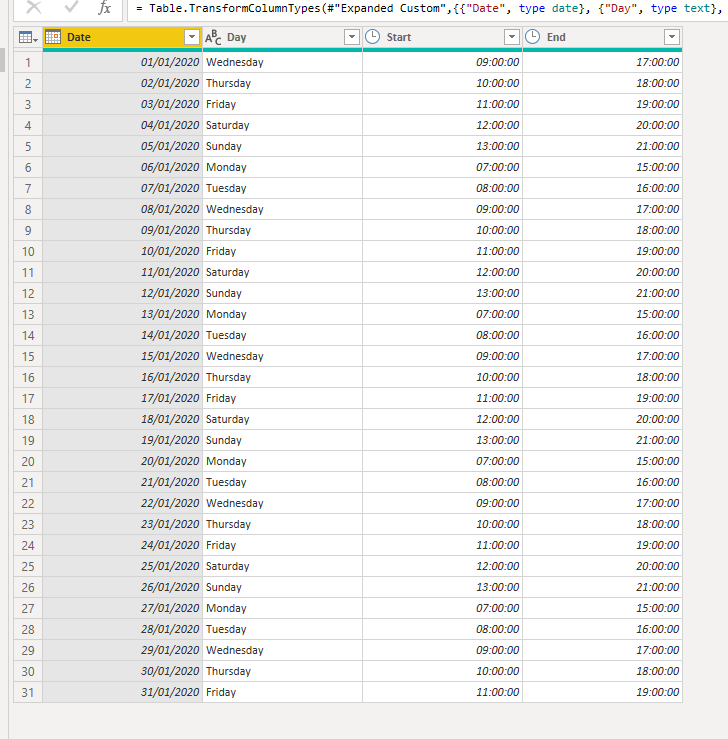
The schedule is maintained in periods and day. Now i want to expand that table to show the schedule for each date as below.
| Date | Day | Start | End |
| 1/1/2020 | Wednesday | 9:00 AM | 5:00 PM |
| 1/2/2020 | Thursday | 10:00 AM | 6:00 PM |
| 1/3/2020 | Friday | 11:00 AM | 7:00 PM |
| 1/4/2020 | Saturday | 12:00 PM | 8:00 PM |
| 1/5/2020 | Sunday | 1:00 PM | 9:00 PM |
| 1/6/2020 | Monday | 7:00 AM | 3:00 PM |
| 1/7/2020 | Tuesday | 8:00 AM | 4:00 PM |
| 1/8/2020 | Wednesday | 9:00 AM | 5:00 PM |
| 1/9/2020 | Thursday | 10:00 AM | 6:00 PM |
| 1/10/2020 | Friday | 11:00 AM | 7:00 PM |
| 1/11/2020 | Saturday | 12:00 PM | 8:00 PM |
| 1/12/2020 | Sunday | 1:00 PM | 9:00 PM |
| 1/13/2020 | Monday | 7:00 AM | 3:00 PM |
| 1/14/2020 | Tuesday | 8:00 AM | 4:00 PM |
| 1/15/2020 | Wednesday | 9:00 AM | 5:00 PM |
| 1/16/2020 | Thursday | 10:00 AM | 6:00 PM |
| 1/17/2020 | Friday | 11:00 AM | 7:00 PM |
| 1/18/2020 | Saturday | 12:00 PM | 8:00 PM |
| 1/19/2020 | Sunday | 1:00 PM | 9:00 PM |
| 1/20/2020 | Monday | 7:00 AM | 3:00 PM |
| 1/21/2020 | Tuesday | 8:00 AM | 4:00 PM |
| 1/22/2020 | Wednesday | 9:00 AM | 5:00 PM |
| 1/23/2020 | Thursday | 10:00 AM | 6:00 PM |
| 1/24/2020 | Friday | 11:00 AM | 7:00 PM |
| 1/25/2020 | Saturday | 12:00 PM | 8:00 PM |
| 1/26/2020 | Sunday | 1:00 PM | 9:00 PM |
| 1/27/2020 | Monday | 7:00 AM | 3:00 PM |
| 1/28/2020 | Tuesday | 8:00 AM | 4:00 PM |
| 1/29/2020 | Wednesday | 9:00 AM | 5:00 PM |
| 1/30/2020 | Thursday | 10:00 AM | 6:00 PM |
| 1/31/2020 | Friday | 11:00 AM | 7:00 PM |
I have found that we can generate a date list with the Date.List function. In the function, we have to provide the starting date, the number of rows required and the increment number.
First I need to calculate the first date of a period corresponing to the given Day. In the above example, I first need the date of the first monday so I can use that as the start date for my list.
Additionally, I need the number of Days in a given period. In the above example, I have to find the number of mondays in the given period to find the number of rows to be created.
I am stuck with finding the first date for a day in a given period and finding the number of particular days in the period.