Join us at FabCon Atlanta from March 16 - 20, 2026, for the ultimate Fabric, Power BI, AI and SQL community-led event. Save $200 with code FABCOMM.
Register now!The Power BI Data Visualization World Championships is back! Get ahead of the game and start preparing now! Learn more
Hi Experts,
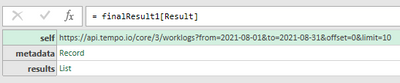
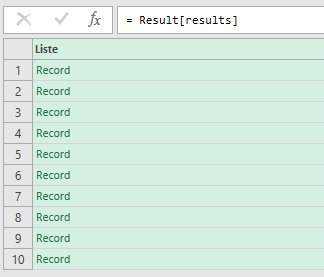
beeing new to Power Query I am trying to access the pages of a REST response and transform those to one single list by using List.Generate.
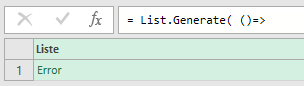
Unfortunately I don't receive the full list. Instead the produced list contains only one Element "Error" which only contains the result of the first page. Any Ideas?
(The API documetation can be found here: https://apidocs.tempo.io/#worklogs )
My code is as follows:
From="2021-08-01",
To="2021-08-31",
tempoURL= "https://api.tempo.io",
tempoPath = "/core/3/worklogs",
tempoQuery = "?from=" &From& "&to=" &To& "&limit=10",
Token="XXXXX",
finalResult=List.Generate( ()=>
[
URL = tempoURL&tempoPath&tempoQuery,
Result = Json.Document(Web.Contents(URL, [Headers=[Authorization="Bearer " & Token]]))
],
each [URL] <> null,
each [
URL = [Result][metadata][next],
Result = Json.Document(Web.Contents(URL,[Headers=[Authorization="Bearer " & Token]]))
]
)
in
finalResult
Which produces the following:
Solved! Go to Solution.
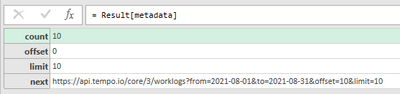
Since your "next" URL is well structured with Offset and Limit you could choose to fetch the total rowcount in your first call and the use List.Generate to create all the urls (and maybe up the limit a bit so you don't have to fetch in groups of 10). Then it would be a simple Table.AddColumn with the Web.Contents of the generated URLs.
The Power BI Data Visualization World Championships is back! Get ahead of the game and start preparing now!
| User | Count |
|---|---|
| 19 | |
| 9 | |
| 8 | |
| 7 | |
| 6 |