cancel
Showing results for 
Search instead for 
Did you mean: 

The Power BI Data Visualization World Championships is back! Get ahead of the game and start preparing now! Learn more

Reply
slarsson
Regular Visitor

Extract values from xml in column

I've found all sorts of posts that are similar, but nothing seems to work for me.  I have a column that contains xml data.  I need to extract that table data into something usable so I can display it on a dashboard.  

Is there a simple way to make this work?


The xml data looks something like this (and resides as text in one of the columns):

<RepeaterData>
<Version/>
<Items>
<Item>
<EvidenceName type="System.String">evidence test</EvidenceName>
<EvidenceDate type="System.DateTime">06/01/2018 00:00:00</EvidenceDate>
<EvidenceType type="System.String">Engagement Indicator</EvidenceType>
<ThreatType type="System.String">Normalization of deviance</ThreatType>
<EvidenceDescription type="System.String">evidence description test</EvidenceDescription>
</Item>
<Item>
<EvidenceName type="System.String">evidence test 2</EvidenceName>
<EvidenceDate type="System.DateTime">05/31/2018 00:00:00</EvidenceDate>
<EvidenceType type="System.String">Analysis of Multiple Data Source</EvidenceType>
<ThreatType type="System.String">Work pressure</ThreatType>
<EvidenceDescription type="System.String">evidence description test 2</EvidenceDescription>
</Item>
</Items>
</RepeaterData>
 
Any ideas how I can get into columns or something easily displayed on a dashboard?
5 REPLIES 5
Anonymous
Not applicable

@slarsson,

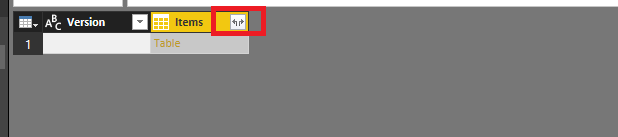
I import the above xml data into Power BI Desktop, and get the following column.
1.PNG

After I drill down column step by step, I get the following table eventually, does it return your expected data?
2.PNG

Regards,
Lydia

Perhaps a better way to explain the issue:


I have a Sharepoint Online data source names 'Signals'.  One of the columns in this sharepoint is called Evidence XML, and contains XML data (the XML provided above), which was generated from a Nintex repeating section form.  So In the case of the example there are two sets of data in the repeating section.  I want to be able to to visually display this data in the report, in such a way that when I filter on the one Signal, the two corresponding Evidence piece described in the EvidenceXML field display as a table/list/whatever-makes-most-sense.   

Hopefully that is clear enough.  Again, new to this, so probalby not explaining it well and probably missing some basic steps.


Thanks in a advance for any help.

If I save the xml as a file and add it as a data source, then yes i can eventually drill down to the right level.  The problem is the xml is stored in a text field, so I can't get it to recognize it.  Even when I use the xml file i can only drill down to the right level of data in the Data screen - not in the Report screen.


The xml comes from a repeating section in a Nintex Form I built in Sharepoint.  XML is the only way I can access that info, so I was able to get it displayed in a column in Sharepoint.  I'm definitley very new to PowerBI, so not really sure how else to get to the data.  Utlimately I just want to be able to show all the data in the XML somehow on a report/dashboard.

Anonymous
Not applicable

did you manage to find the solution to this? Having the same issue

Anonymous
Not applicable

Hi @slarsson 
Did you find the solution ??

Helpful resources

Announcements
Power BI DataViz World Championships

Power BI Dataviz World Championships

The Power BI Data Visualization World Championships is back! Get ahead of the game and start preparing now!

December 2025 Power BI Update Carousel

Power BI Monthly Update - December 2025

Check out the December 2025 Power BI Holiday Recap!

FabCon Atlanta 2026 carousel

FabCon Atlanta 2026

Join us at FabCon Atlanta, March 16-20, for the ultimate Fabric, Power BI, AI and SQL community-led event. Save $200 with code FABCOMM.

Top Solution Authors