
cancel
Showing results for 
Search instead for 
Did you mean: 

Learn from the best! Meet the four finalists headed to the FINALS of the Power BI Dataviz World Championships! Register now

Reply
Anonymous
Not applicable

Expand Data Errors

Hello Everyone,

I'm currently working on a PBIX in which I have to analyze datas from a Windows Folder with tons of XML Files. 

I used this solution to merge all the XML Files in one Query : Solved: Import multiple XML files - Microsoft Power BI Community


The problem is when I want to Expand the Datas from the query.

I chose the columns I want to expand and this error appears : 

NomisNajou_0-1666270380023.png

Ima translate it : "DataFormatError : Sorry... We could proceed to XML treatment, because the entry is invalid or not supported. (Internal error: Invalid data at root level. Line 1, position 1.) Details : [Binary]


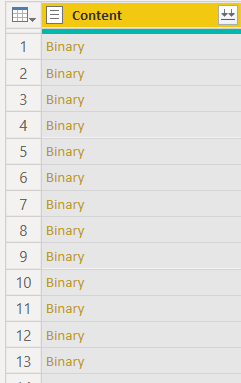
The point is, as you can see below, I have a column containing only "Binary" for earch rows. But i deleted this column so I don't understand why it is affecting my expand ?

NomisNajou_1-1666270724244.png


Thank you for your time and feel free to ask if i'm missing some informations you need ! 

I'm new to PBI and I hope you'll be able to help me 🙂


Have a good day !

1 REPLY 1
v-yalanwu-msft
Community Support
Community Support

Hi, @Anonymous ;

You can get this error when your source file has more columns in it than there were originally when the first import was done and the helper/transform functions were created.

Hard to say for sure without seeing your query and the source data.


Best Regards,
Community Support Team _ Yalan Wu
If this post helps, then please consider Accept it as the solution to help the other members find it more quickly.

Helpful resources

Announcements
Join our Fabric User Panel

Join our Fabric User Panel

Share feedback directly with Fabric product managers, participate in targeted research studies and influence the Fabric roadmap.

February Power BI Update Carousel

Power BI Monthly Update - February 2026

Check out the February 2026 Power BI update to learn about new features.

FabCon Atlanta 2026 carousel

FabCon Atlanta 2026

Join us at FabCon Atlanta, March 16-20, for the ultimate Fabric, Power BI, AI and SQL community-led event. Save $200 with code FABCOMM.

Top Solution Authors