Join us at FabCon Atlanta from March 16 - 20, 2026, for the ultimate Fabric, Power BI, AI and SQL community-led event. Save $200 with code FABCOMM.
Register now!The Power BI Data Visualization World Championships is back! Get ahead of the game and start preparing now! Learn more
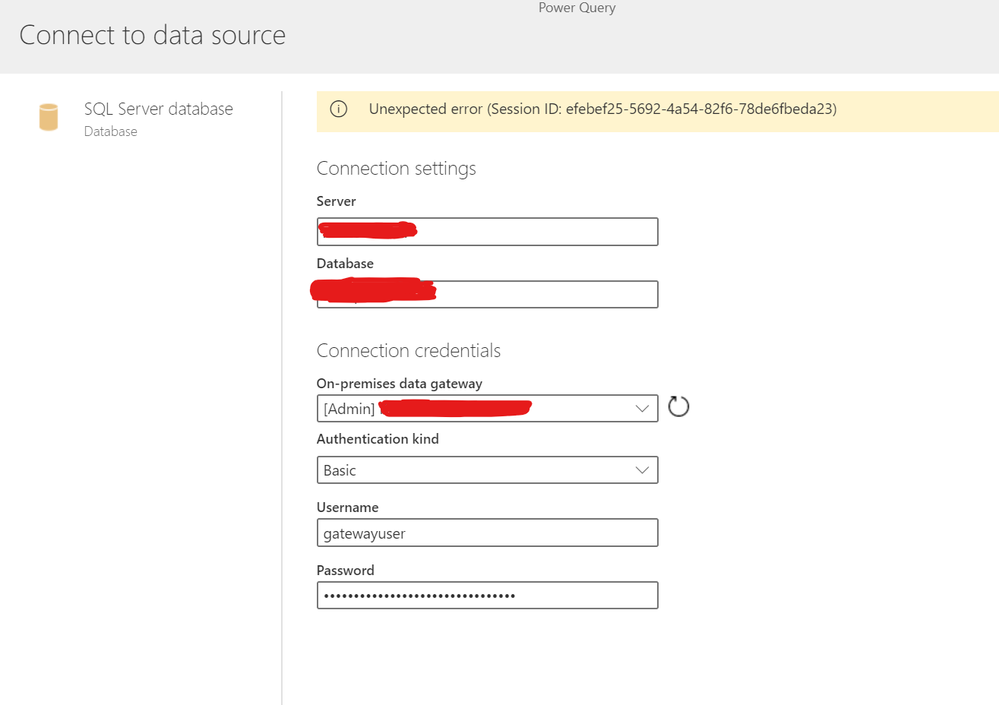
When I try accessing a SQL Database through on-premise data gateway using Data Flows, I get an Unexpected Error with a session ID.
I am not able to access this database via Power BI desktop too.
Check the picture for more details.
Another collegue of mine who setup the on-premise gateway is able to access without any issues. Is there a reason why I am getting this specific error?
Thank you for help in advance!
Solved! Go to Solution.
There was an issue in the way the gateway was setup. It is working now. Thanks for your input
You have a permission or database configuration issue locally. Never try to set up a gateway if you cannot get your desktop to connect. It just won't work. Get with your IT department to assist to get your local desktop app to work, then proceed to the gateway.
DAX is for Analysis. Power Query is for Data Modeling
Proud to be a Super User!
MCSA: BI ReportingI would start with trying to make it work on Desktop first.
I don't expect your colleague set up the gateway in the personal mode, correct? Do you use same authentication as your colleague?
The Power BI Data Visualization World Championships is back! Get ahead of the game and start preparing now!
| User | Count |
|---|---|
| 19 | |
| 9 | |
| 8 | |
| 7 | |
| 6 |