Share feedback directly with Fabric product managers, participate in targeted research studies and influence the Fabric roadmap.
Sign up nowGet Fabric certified for FREE! Don't miss your chance! Learn more
When installing a data gateway you are prompeted for a user name and password. I am relucatant to use my own since I generally prefer to have a service account associated with a service. What is the recommendation for the login?
Also, if I create a service account what are the minimum security requirments as well as licensing requirements for the service account?
Solved! Go to Solution.
@Anonymous, I actually ended up creating a service account in AD that was synced to the O365. I made the user an actual service account on the server I installed the gatway on (my not have been necessary) and then gave it a Power BI license on O365.
From there was able to create the connection and assign admin permission to a couple other admins.
So far this approach appears to be working fine!
Hi @mrohde,
Do you install Power BI personal gateway and want to set service account of Power BI personal gateway? You can set the service account to other accounts , just make sure that the account is added to the local security policy “Log on as a Service”, you can use the following steps to add the "Log on as a service" right to an account on your local computer.
1. Open Local Security Policy.
2. In the console tree, double-click Local Policies, and then click User Rights Assignments.
3. In the details pane, double-click Log on as a service.
4. Click Add User or Group, and then add the appropriate account to the list of accounts that possess the Log on as a service right.
Besides, there are no licensing requirements for the service account.
Thanks,
Lydia Zhang
My team is going to configure a server with the Gateway inside an organization so is not the case of a personal gateway.
So my questions are:
Many thanks
I was actually installing an Enterprise Gateway rather than personal. It sounds like you recommend a service account either way.
Hi @mrohde,
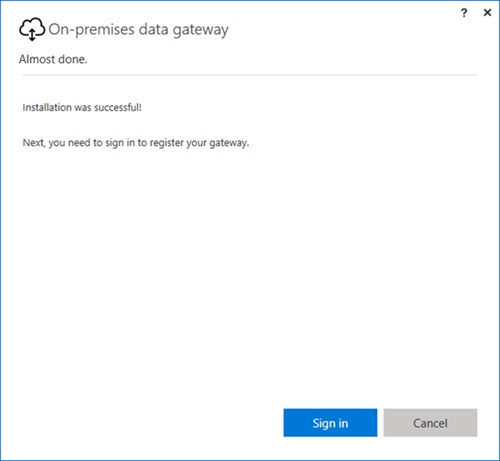
Could you please post the screenshot of your sceanrio? If you refer to the sign-in account and password by clicking "Sign In" button in the following screenshot, usually we use an account which has Power BI pro license to register gateway.
Thanks,
Lydia Zhang
@Anonymous, I actually ended up creating a service account in AD that was synced to the O365. I made the user an actual service account on the server I installed the gatway on (my not have been necessary) and then gave it a Power BI license on O365.
From there was able to create the connection and assign admin permission to a couple other admins.
So far this approach appears to be working fine!
Share feedback directly with Fabric product managers, participate in targeted research studies and influence the Fabric roadmap.
| User | Count |
|---|---|
| 12 | |
| 11 | |
| 10 | |
| 8 | |
| 6 |