Share feedback directly with Fabric product managers, participate in targeted research studies and influence the Fabric roadmap.
Sign up nowGet Fabric certified for FREE! Don't miss your chance! Learn more
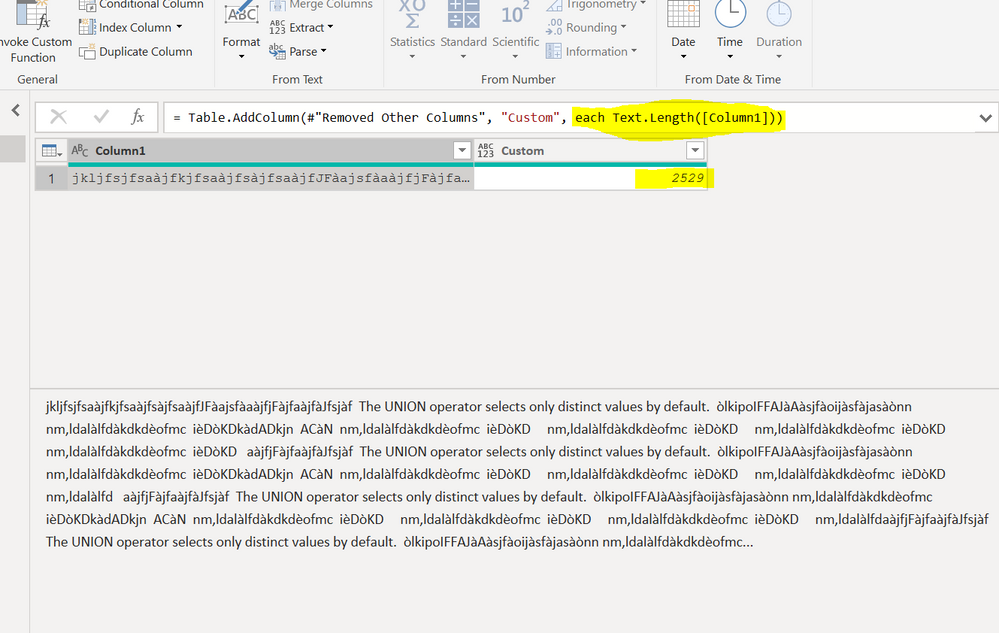
I am attempting to stack columns of text data from multiple excel files. When I attempt to combine, the power query limits my characters to ~250 which ends up truncating some of my data. This is both in the preview and output sheet. Is there a way to increase the number of characters allowed in specific columns or the output sheet entirely?
if I am not missing something, I have experienced an opposite situation: it is excel which has a limit of 255 characters per cell, while power query allows longer texts
So what exactly is the problem you encounter?
Hello @Anonymous
what exactly is truncated? When a cell value is longer than 250?
Jimmy
Hi @Anonymous ,
No you can't chnage this milit of 250 characters in Power BI. This is an inbuilt standard thing.
Thanks,
Pragati
Share feedback directly with Fabric product managers, participate in targeted research studies and influence the Fabric roadmap.
| User | Count |
|---|---|
| 11 | |
| 11 | |
| 10 | |
| 7 | |
| 6 |