Hi dear Power Query gods,
I've been working with Power Query / M (not sure what the difference is) for a few weeks now, nicely integrating data from API's into tables which are used for visualizations.
Now I've ran into a problem I can't resolve. I tried DuckDuckGoing all I could think of but it seems I can't find the right solution.
The main error I'm getting is:
Expression.Error: We cannot convert a value of type Record to type List.
Details:
Value=[Record]
Type=[Type]
But this doesn't tell me (or you) much, so here is my code:
let
    BaseUrl         = "https://support.website.com:443/api/tickets",
    Token           = "REDACTED",
    TeamID          = 45, //ID of the team
    AgentTeam       = "?agent_team_id%5B%5D=" & Text.From(TeamID),
    EntitiesPerPage = 25,
    GetJson = (Url) =>
        let Options = [Headers=[ #"X-DeskPRO-API-Key" = Token ]],
            RawData = Web.Contents(Url, Options),
            Json    = Json.Document(RawData)
        in  Json,

    GetEntityCount = () =>
        let
            Url   = BaseUrl & AgentTeam,
            Json  = GetJson(Url),
            Count = Json[#"total"]
        in  Count,

    GetPage = (Index) =>
        let
            Url   = BaseUrl & AgentTeam & "&page=" & Text.From(Index),
            Json  = GetJson(Url),
            Value = Json[tickets]
        in  Value,

    EntityCount = List.Max({EntitiesPerPage, GetEntityCount()}),
    PageCount   = Number.RoundUp(EntityCount / EntitiesPerPage),
    // The api starts on page '1'...
    PageIndices = { 1 .. PageCount },
    Pages       = List.Transform(PageIndices, each GetPage(_)),
    Entities    = List.Union(Pages),
    Table       = Table.FromList(Entities, Splitter.SplitByNothing(), null, null, ExtraValues.Error)
in
    Table
The idea is simple, it runs through a paginated API and transforms the results into a table.
This has work perfectly for all the other API's, however, this API is a bit special.
Let me explain with an example of the returned data:
{
    "page": 149,
    "per_page": 25,
    "total": 3719,
    "cache_id": 16030,
    "tickets": {
        "490082": {
            "id": 490082,
            "ref": "REDACTED",
            "auth": "REDACTED",
            "status": "resolved",
			"waiting_times": [
                {
                    "type": "user",
                    "start": 1582757382,
                    "end": 1582818394,
                    "length": 61012
                }
            ],
			"department": {
                "id": 60,
                "title": "REDACTED",
                "parent_id": null,
                "parent_ids": [],
                "title_parts": [
                    "REDACTEDn"
                ],
                "user_title_parts": [
                    "REDACTED"
                ],
                "has_children": false,
                "parent": []
            },
			"agent": {
                "id": 17,
                "is_agent": true,
                "was_agent": false,
                "can_agent": true
			}
		},
        "490073": {
			"key": "you get the idea"
		},
		"490062": {
			"key": "etc"
		}
	}
}
As you can see the API does not return an array of tickets, it returns only nested objects.
Let's ignore the part that this returns way too much info and the actual response is about a 1000 lines per ticket.
In the code I've tried to change the line in GetPage()
From:
Value = Json[tickets]
To:
Value = Record.ToList(Json[tickets])
// I also tried to just get the first ticket from each page like this:
Value = Record.ToList(Json[tickets]{0})
// (the idea being that I would make a function that iterates through the tickets as a workaround)
// or
Value = {Json[tickets]}
// This one funnily enough changed the order of the error.
// Original was "We cannot convert a value of type Record to type List."
// With this last line it changes to "We cannot convert a value of type List to type Record."
I've read many posts on here, the challenge being I understand about half of the code in those posts as I'm fairly new to the syntax and language. I find debugging very hard to do on this platform.
A screenshot of the results I get:
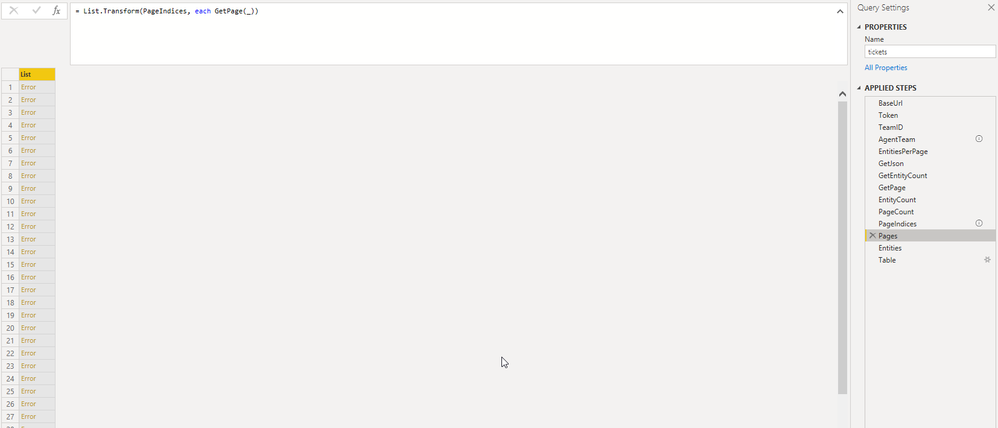
Hopefully someone sees what is going wrong here or has any other tips/guidance on debugging and fixing this.
Thanks for taking the time to read this!


