Share feedback directly with Fabric product managers, participate in targeted research studies and influence the Fabric roadmap.
Sign up nowGet Fabric certified for FREE! Don't miss your chance! Learn more
Hi guys!
Trying to make Azure Analysis Services works with my Power BI, without success.
What we need:
- Azure Analysis Services working;
- Visual Studio Tabular Project Integrated with Azure;
- Power BI integrated with Azure too;
- Some gateway? Mine do not work at web and do not refresh at Desktop.
Any ideas?
Best regards,
Robson.
Hi @rgparisoto
You don't need a gateway.
How are you connecting to SSAS?
Hi @artemus !
Forgive me for answer only now, I was on a trip.
Well, to connect database, I'm using the xxx.database.windows.net. To connect to AS I'm using asazure://brazilsouth.asazure.windows.net/xxx.
I don't understand why Power BI web do not recognize the connection to AS.
It's necessary to have a gateway?
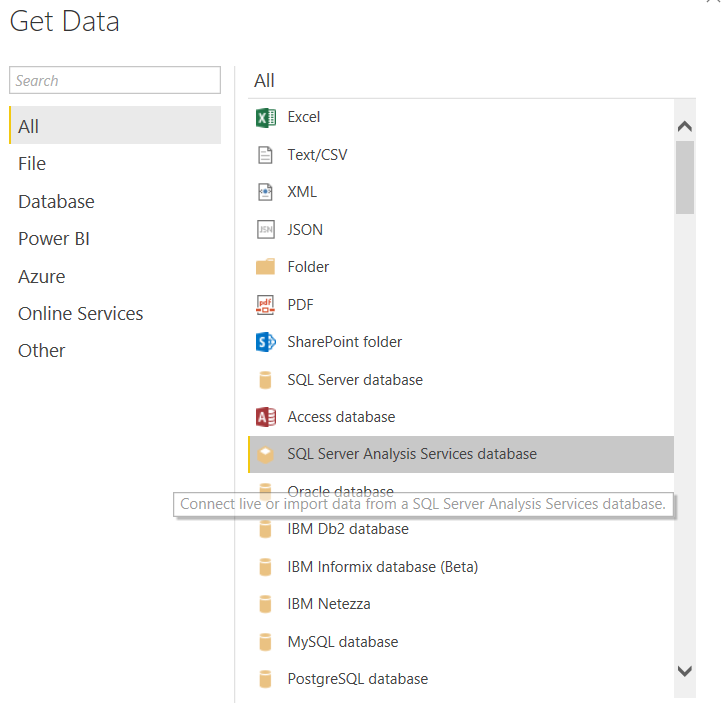
Are you using the right connector?
Hi @artemus !
I'm using this, but I have the same data, even after made some insert in the table.
I don't know if I have to make some process at Azure do start this service or something like this.
If you love stickers, then you will definitely want to check out our Community Sticker Challenge!
Check out the January 2026 Power BI update to learn about new features.
| User | Count |
|---|---|
| 13 | |
| 11 | |
| 11 | |
| 7 | |
| 6 |