Join us at FabCon Atlanta from March 16 - 20, 2026, for the ultimate Fabric, Power BI, AI and SQL community-led event. Save $200 with code FABCOMM.
Register now!View all the Fabric Data Days sessions on demand. View schedule
Using a LIVE connection to SSAS has anyone had trouble getting calculated members to show up in Power BI Desktop?
Solved! Go to Solution.
It looks like [Dim Profitability Account].[Profitability] is a user hierarchy. As stated here, in the section "Dimension Calculated Members":
...calculated members on user hierarchies are not exposed in Power BI.
Chris
Hi @aaronlebato,
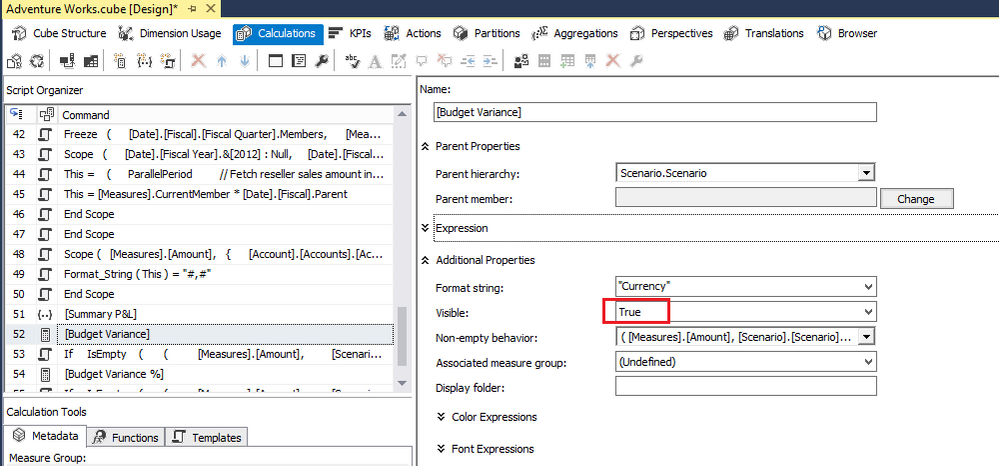
Please check if you set the Visible for the calculated member as True.
If it's true, when you connect live to SSAS cube in desktop, the calculated member should display.
Best Regards,
Qiuyun Yu
Hi QIuyun Yu
I have tried this, but still not show in PowerBI, the member calculation is not from user Hierarchy but from real Member of dimension.
What i miss ?
Thanks
Yudhi H
Hi v-qiuyu-MSFT ,
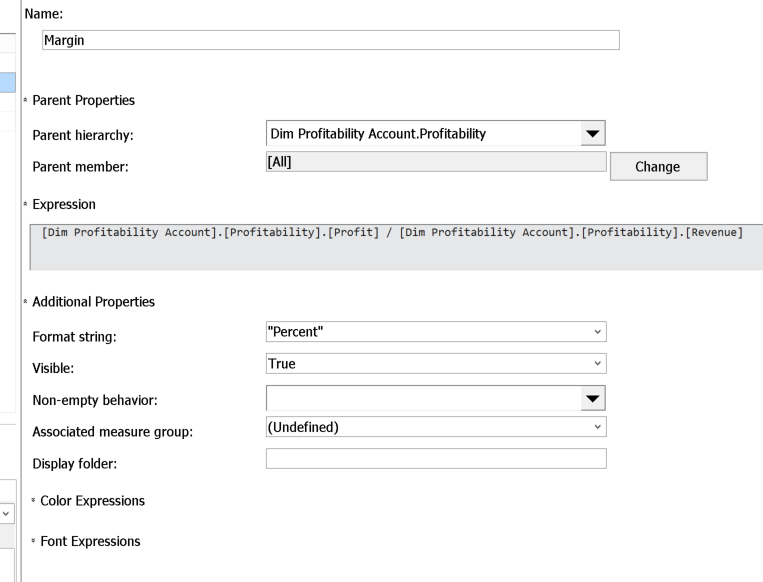
Yes. The calculated member is set to visible. What is odd is that the member shows up in Excel but does not show up in Power BI.
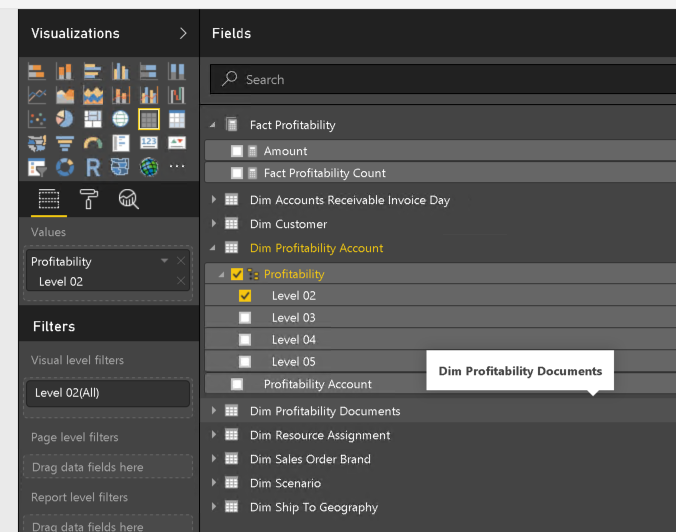
See "Margin" member below and as well as some screens.
It looks like [Dim Profitability Account].[Profitability] is a user hierarchy. As stated here, in the section "Dimension Calculated Members":
...calculated members on user hierarchies are not exposed in Power BI.
Chris
Thanks Chris! Although not the answer I wanted to hear obviously, clearly the correct answer. By the way, I'm a student of yours. Your content on https://projectbotticelli.com/ is by far the best I've come across and has helped me expand into MDX from a career in SQL based reporting. I'm not where I want to be yet but I would still be at the drawing board without your help.
Check out the November 2025 Power BI update to learn about new features.
Advance your Data & AI career with 50 days of live learning, contests, hands-on challenges, study groups & certifications and more!
| User | Count |
|---|---|
| 11 | |
| 8 | |
| 6 | |
| 5 | |
| 3 |