Join us at FabCon Atlanta from March 16 - 20, 2026, for the ultimate Fabric, Power BI, AI and SQL community-led event. Save $200 with code FABCOMM.
Register now!The Power BI Data Visualization World Championships is back! Get ahead of the game and start preparing now! Learn more
Our accounting team recently started using Power Query to connect with Salesforce to pull data. The report they pulled are less than 500 rows. For some reason, I am receiving an alert from Salesforce that they are using more than 500 API calls and I have received this alert many times. Does anyone have an idea of why so much API Calls were used?
Solved! Go to Solution.
Hi @Richard_ECA ,
When using import mode, it will request the data by calling api each time you refresh the data. If you have another table refer to this tables or duplicate this query, it may call api multi times. Have you tried to use the build in salesforce connector?
Best regards,
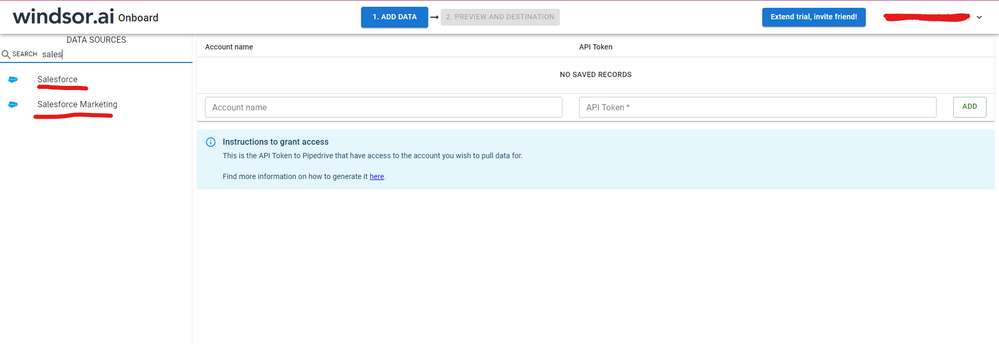
Hi @Richard_ECA were you able to find a solution? As a workaround, maybe you can try to test your connection with a 3rd party connector. I've tried windsor.ai, supermetrics (which doesn't have PBI as a destination, so you first have to export to Google Sheets and then export to PBI) and funnel.io. I stayed with windsor because it is much cheaper so just to let you know other options. In case you wonder, to make the connection first search for the Salesforce connector in the data sources list:
After that, just grant access to your Salesforce account using your credentials, then on preview and destination page you will see a preview of your Salesforce fields:
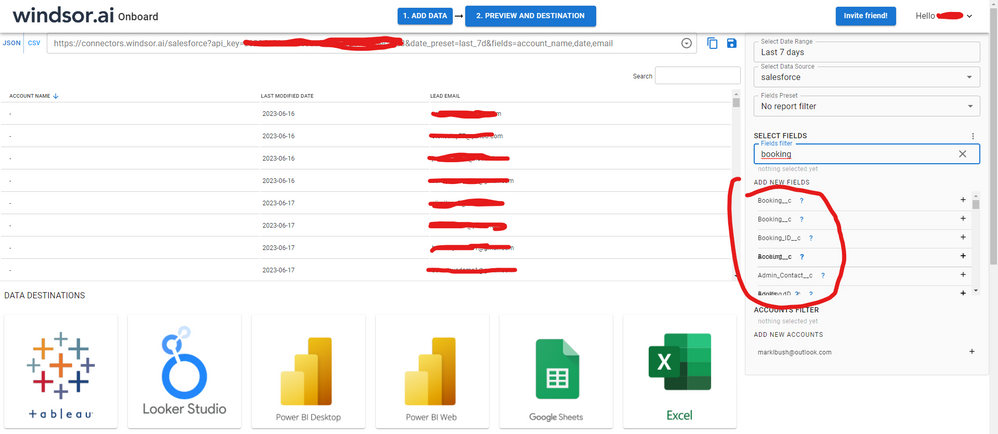
There just select the fields you need. It is also compatible with custom fields and custom objects, so you'll be able to export them through windsor. Finally, just select PBI as your data destination and finally just copy and paste the url on PBI --> Get Data --> Web --> Paste the url.
Hi @Richard_ECA ,
How about the result after you follow the suggestions mentioned in my original post?Could you please provide more details about it If it doesn't meet your requirement?
Best regards,
Hi @Richard_ECA ,
When using import mode, it will request the data by calling api each time you refresh the data. If you have another table refer to this tables or duplicate this query, it may call api multi times. Have you tried to use the build in salesforce connector?
Best regards,
The Power BI Data Visualization World Championships is back! Get ahead of the game and start preparing now!