
Join us at FabCon Atlanta from March 16 - 20, 2026, for the ultimate Fabric, Power BI, AI and SQL community-led event. Save $200 with code FABCOMM.
Register now!Get Fabric Certified for FREE during Fabric Data Days. Don't miss your chance! Request now
Hello!
I have a simple Azure DevOps REST API query (because OData doesn't have information about releases) :
let
httpResponse = VSTS.AccountContents("https://vsrm.dev.azure.com/{org}/{proj}/_apis/release/deployments?$top=100&?api-version=6.0"),
json = Json.Document(httpResponse),
List = json[value]
in
List
And after loggin in with organization account it works fine from PowerBI Desktop.
That's good and now it's time to publish and enjoy the Scheduled refresh feature.
Ok. Publish succeded.
Going to to Datasets -> Settings -> Data source credentials.
Ok. Looks like I need to auth again. Click Edit credentials.
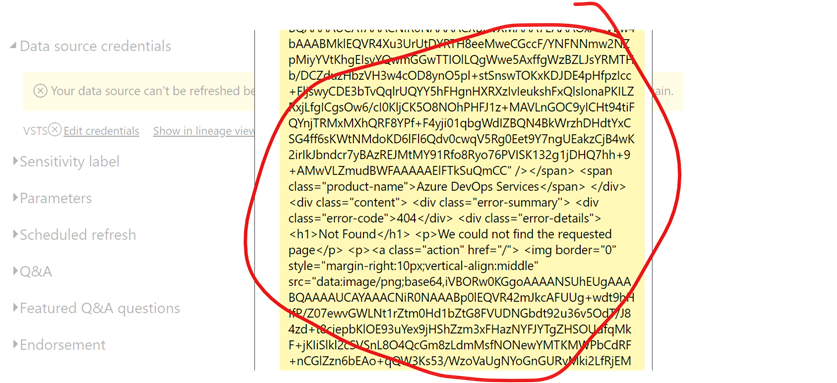
And here, interesting, doesn’t really matter what auth method I will chose I will get this “nice” error message that expands beyond the screed borders.
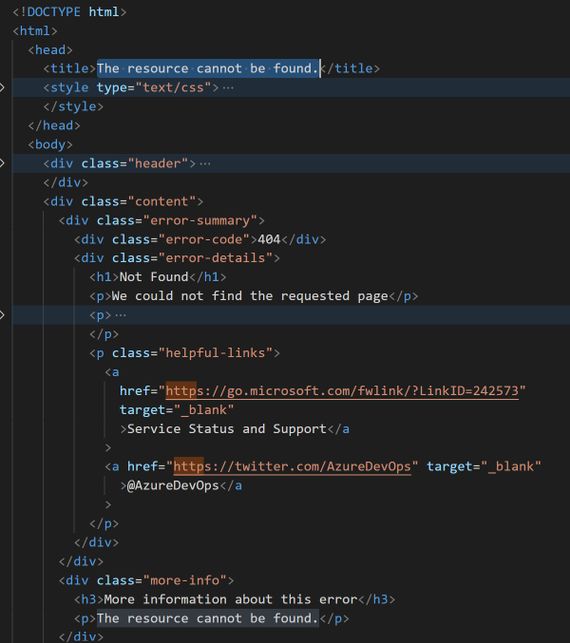
This error message sais that the resource can not be found…
What am I doing wrong and how to configure scheduled refresh?
Solved! Go to Solution.
It turns out that a VSTS.AccountContents(...) support ONLY data from Azure DevOps boards (work items)!
It does not support anything else like Pipelines, etc. So it can not be treated as a full replacement for Web.Contents(...).
Unfortunately, the documentation and error messages are totally misleading.
It turns out that a VSTS.AccountContents(...) support ONLY data from Azure DevOps boards (work items)!
It does not support anything else like Pipelines, etc. So it can not be treated as a full replacement for Web.Contents(...).
Unfortunately, the documentation and error messages are totally misleading.
Check out the November 2025 Power BI update to learn about new features.
Advance your Data & AI career with 50 days of live learning, contests, hands-on challenges, study groups & certifications and more!
| User | Count |
|---|---|
| 5 | |
| 2 | |
| 2 | |
| 2 | |
| 1 |