Hi,
I am new to making custom visuals in PowerBI and am trying to make a simple visual which simply displays Google Maps.
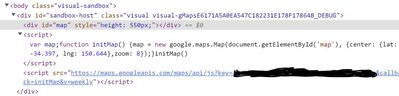
I am currently just trying to get the basic map to initialise on the visual, without specifying any location with data just yet - however, despite being able to successfully run pbiviz start and load this up on PBI Service, all I am able to produce is a blank visual.
What am I missing to get the map to display? I am currently using the basic map API example given by Google here:
https://developers.google.com/maps/documentation/javascript/examples/map-simple#maps_map_simple-type...
This is the code from my visual.ts (though I have censored my API key) - I'm not seeing any errors either in vscode or in Powershell when doing pbiviz start, but all I get in PowerBI service is a blank visual. How do I just get the basic map showing?
"use strict";

import powerbi from "powerbi-visuals-api";
import { FormattingSettingsService } from "powerbi-visuals-utils-formattingmodel";
import "./../style/visual.less";


import * as d3 from "d3";
type Selection<T extends d3.BaseType> = d3.Selection<T, any,any, any>;
import VisualConstructorOptions = powerbi.extensibility.visual.VisualConstructorOptions;
import VisualUpdateOptions = powerbi.extensibility.visual.VisualUpdateOptions;
import IVisual = powerbi.extensibility.visual.IVisual;
import { VisualFormattingSettingsModel } from "./settings";
import DataView = powerbi.DataView;
import DataViewTable = powerbi.DataViewTable;
import DataViewTableRow = powerbi.DataViewTableRow;
import DataViewMetadataColumn = powerbi.DataViewMetadataColumn;
import DataViewcolumn = powerbi.DataView

export class Visual implements IVisual {
    private target: HTMLElement;
    private textNode: Text;
    private formattingSettings: VisualFormattingSettingsModel;
    private formattingSettingsService: FormattingSettingsService;
    private map: google.maps.Map;
    private div: d3.Selection<SVGElement,any,any,any>;

    constructor(options: VisualConstructorOptions) {
        console.log('Visual constructor', options); //standard
        this.formattingSettingsService = new FormattingSettingsService(); //standard
        this.target = options.element; //standard
        let script = document.createElement('script');
        script.type = 'text/javascript'
        script.src="https://maps.googleapis.com/maps/api/js?key=XXXXXXXXXXXXXXXXXXXXXXXXXXXXX&callback=initMap";
        document.body.appendChild(script);
        d3.select(options.element)
        .append('div');

    }

    public update(options: VisualUpdateOptions) {
        this.formattingSettings = this.formattingSettingsService.populateFormattingSettingsModel(VisualFormattingSettingsModel, options.dataViews);
        let map: google.maps.Map;
        function initMap(): void {
            const google = window['google'] || window.window['google'];
            map = new google.maps.Map(document.getElementById("map") as HTMLElement, {
            center: { lat: -34.397, lng: 150.644 },
            zoom: 8,
            });
            }
    }

    public getFormattingModel(): powerbi.visuals.FormattingModel {
        return this.formattingSettingsService.buildFormattingModel(this.formattingSettings);
    }
}
Any help would be greatly appreciated!