Join us at FabCon Atlanta from March 16 - 20, 2026, for the ultimate Fabric, Power BI, AI and SQL community-led event. Save $200 with code FABCOMM.
Register now!Learn from the best! Meet the four finalists headed to the FINALS of the Power BI Dataviz World Championships! Register now
Hi,
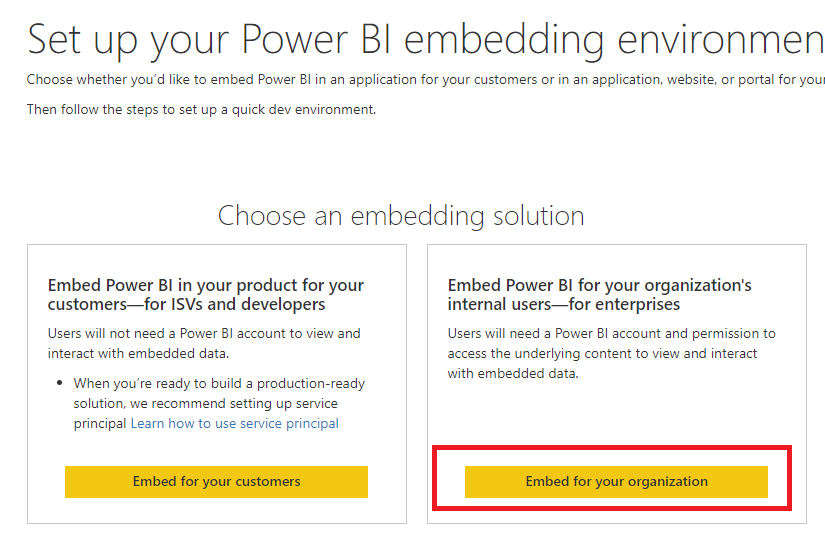
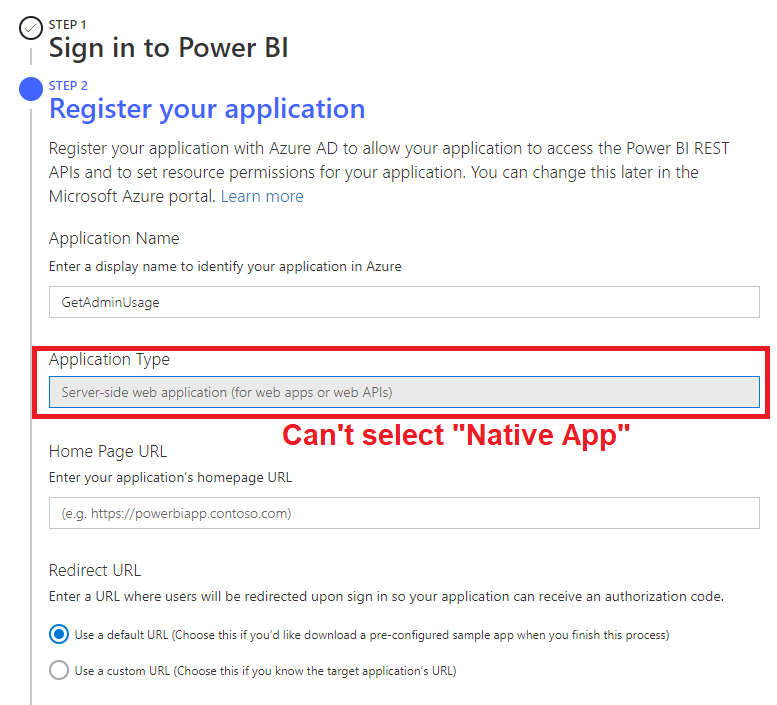
I’ve tried to register an app in Azure Portal for the purpose of calling Power BI REST APIs. Firstly, I’ve selected “embed for your organization”. Then, I’m not allowed to select “Native (for apps that run on client devices, such as Android, iOS, Windows, etc)” option which previously I can. And I understand that if “Server-side web application” is selected, it wouldn’t work.
Pls kindly help. Thks!
Solved! Go to Solution.
Hi @meiwah ,
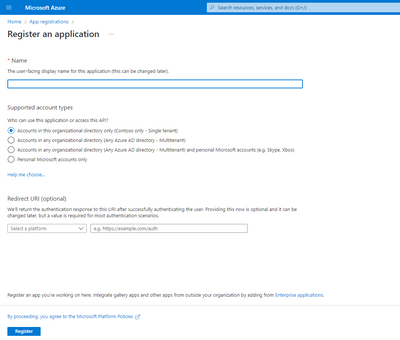
Here I suggest you to register an azure app manually in azure portal.
For reference:
Best Regards,
Rico Zhou
If this post helps, then please consider Accept it as the solution to help the other members find it more quickly.
Hi @meiwah ,
Here I suggest you to register an azure app manually in azure portal.
For reference:
Best Regards,
Rico Zhou
If this post helps, then please consider Accept it as the solution to help the other members find it more quickly.
Share feedback directly with Fabric product managers, participate in targeted research studies and influence the Fabric roadmap.
Check out the February 2026 Power BI update to learn about new features.
| User | Count |
|---|---|
| 3 | |
| 3 | |
| 2 | |
| 2 | |
| 1 |
| User | Count |
|---|---|
| 5 | |
| 4 | |
| 3 | |
| 3 | |
| 2 |